22 AXN Quick Start Kit User Guide (BK/0045 | 9 Aug. 2021)
3
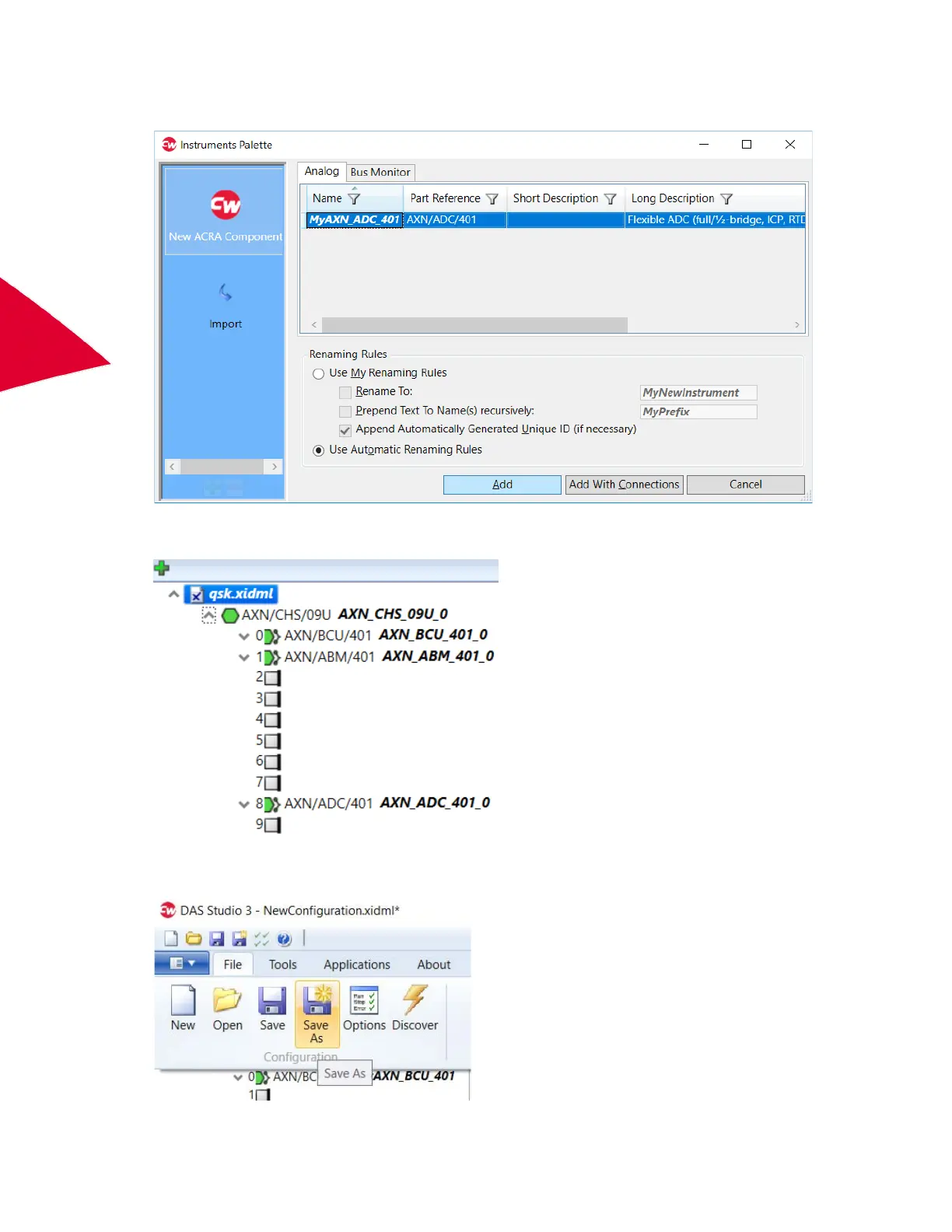
8. Double-click slot 8.
Instruments Palette opens.
9. On the Analog tab, select MyAXN_ADC_401 and click Add.
The AXN flexible analog module (MyAXN_ADC_401) is added in the Navigator.
10. On the File menu, click Save As, choose a location and file name and then click Save,



 To Next Page