28 AXN Quick Start Kit User Guide (BK/0045 | 9 Aug. 2021)
3
As the AXN/BCU/40x can synchronize over either Ethernet port, there could be multiple PTP Grandmaster’s
available to the AXN/BCU/40x to sync to. When the AXN/BCU/40x is acting as a PTPv1 client, the PTPv1
Preferred Grandmaster setting should be enabled. This tells the AXN/BCU/40x to synchronize to the preferred
PTP Grandmaster.
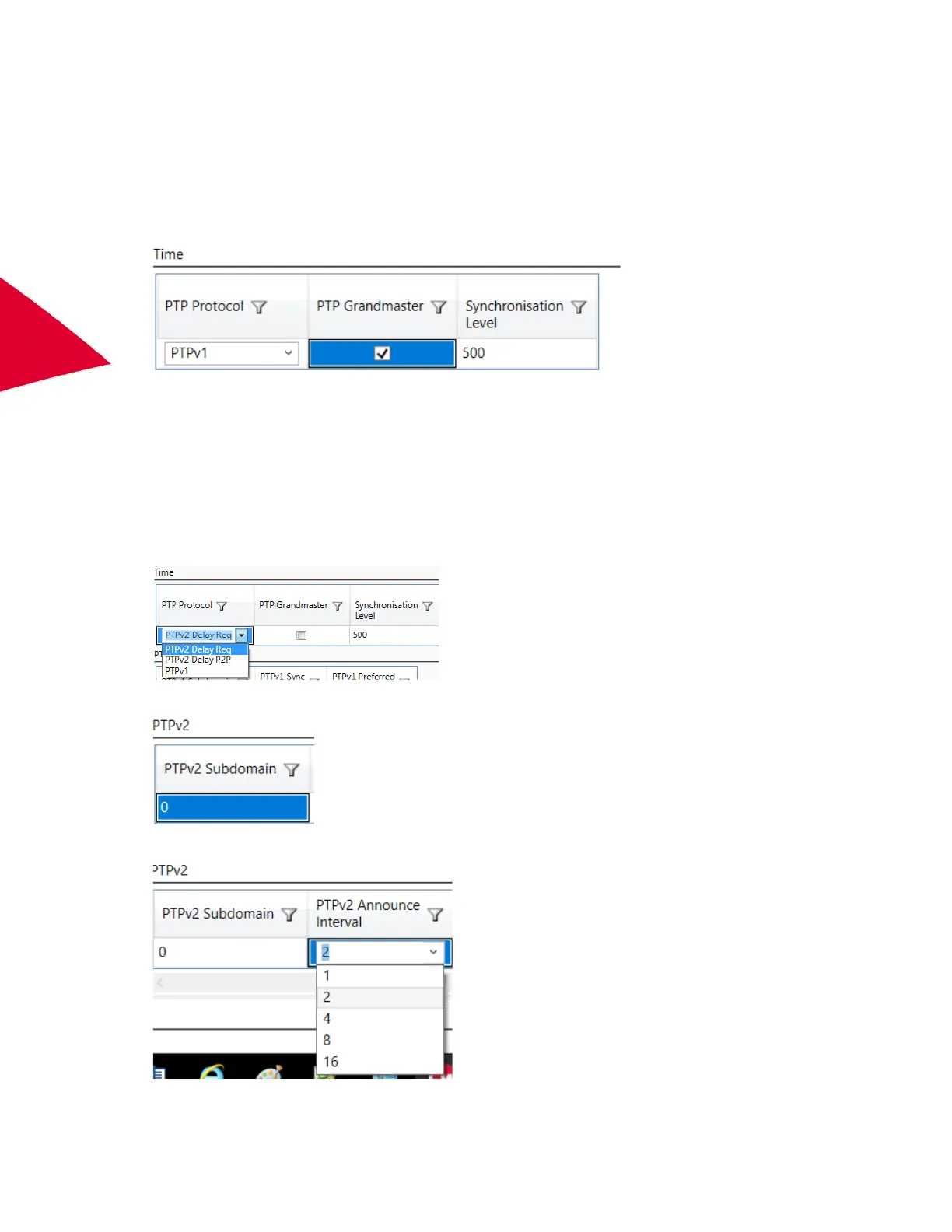
Setting the AXN/BCU/40x as a PTPv1 Grandmaster
1. Set the PTP Protocol to PTPv1.
2. Enable PTP Grandmaster.
3. Configure the PTPv1 settings above as required.
When acting as a PTPv1 Grandmaster, with the Preferred Grandmaster enabled, the AXN/BCU/40x PTPv1 sync
messages will have the Preferred Grandmaster bit set.
Setting the AXN/BCU/40x as a PTPv2 end-to-end client
1. Set the PTP Protocol to PTPv2 Delay Req.
2. Set the PTPv2 Subdomain to the required value (0 - 255).
3. Set the PTPv2 Announce Interval to match the announce interval of the PTPv2 Grandmaster.



 To Next Page