42 AXN Quick Start Kit User Guide (BK/0045 | 9 Aug. 2021)
3
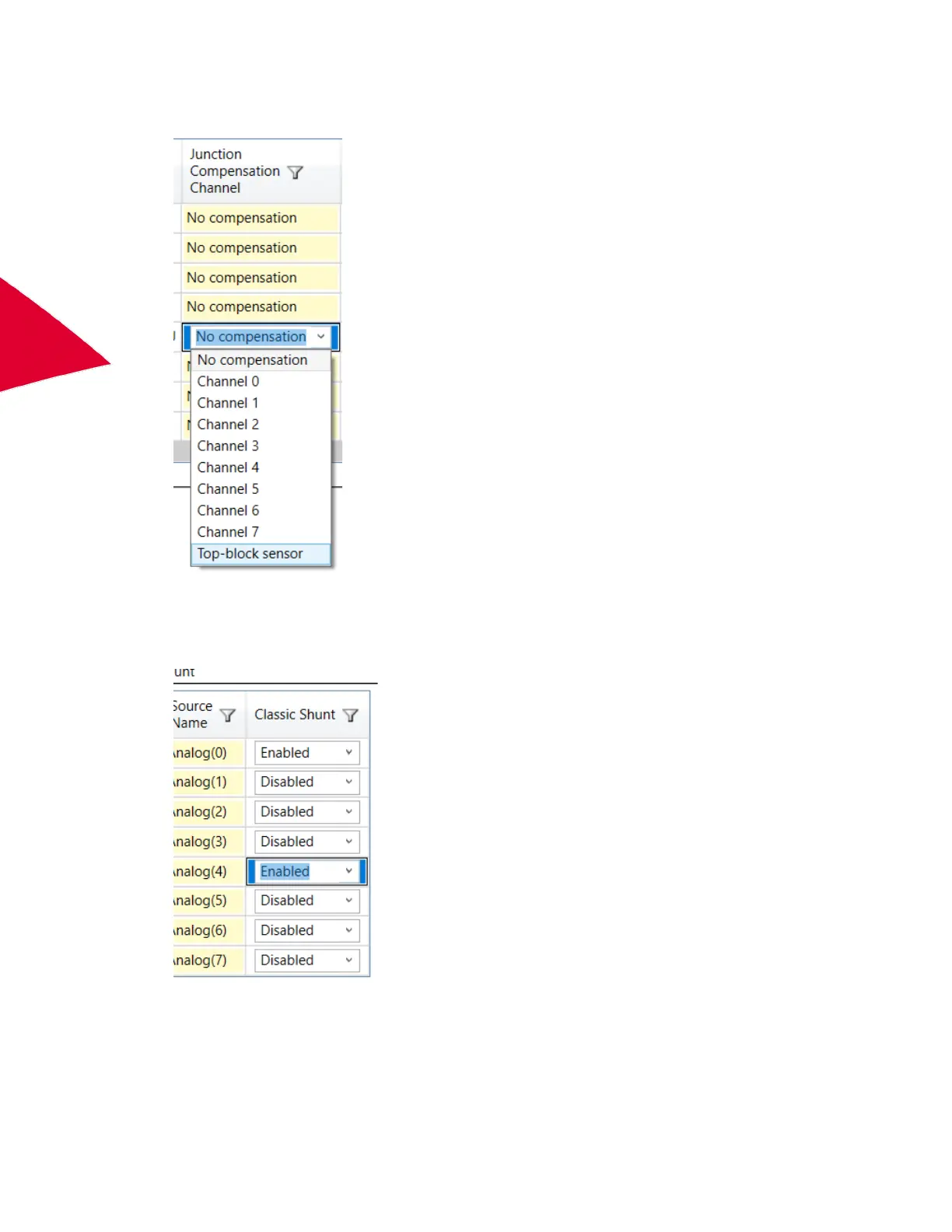
• Use the built-in, top-block sensor on the AXN/ADC/401 module by selecting it from the drop-down list of the
Junction Compensation Channel.
• Configure one of the other channels to be a PT-100 RTD sensor, by selecting the channel required and
configuring it to RTD 2/4 Wire as shown below, using a range of +125 ºC to -55 ºC. (See “Configuring the
AXN/ADC/401 for RTD 2/4 wire inputs or RTD 3 wire inputs” on page 43.)
Then set Classic Shunt for this channel to Enabled.
To use a non-standard custom linearization file, select the custom file and its compensation channel using the User
Compensation URL and User Compensation Channel settings similar to the above.



 To Next Page