CHAPTER 3: CONFIGURING THE AXN SYSTEM 43
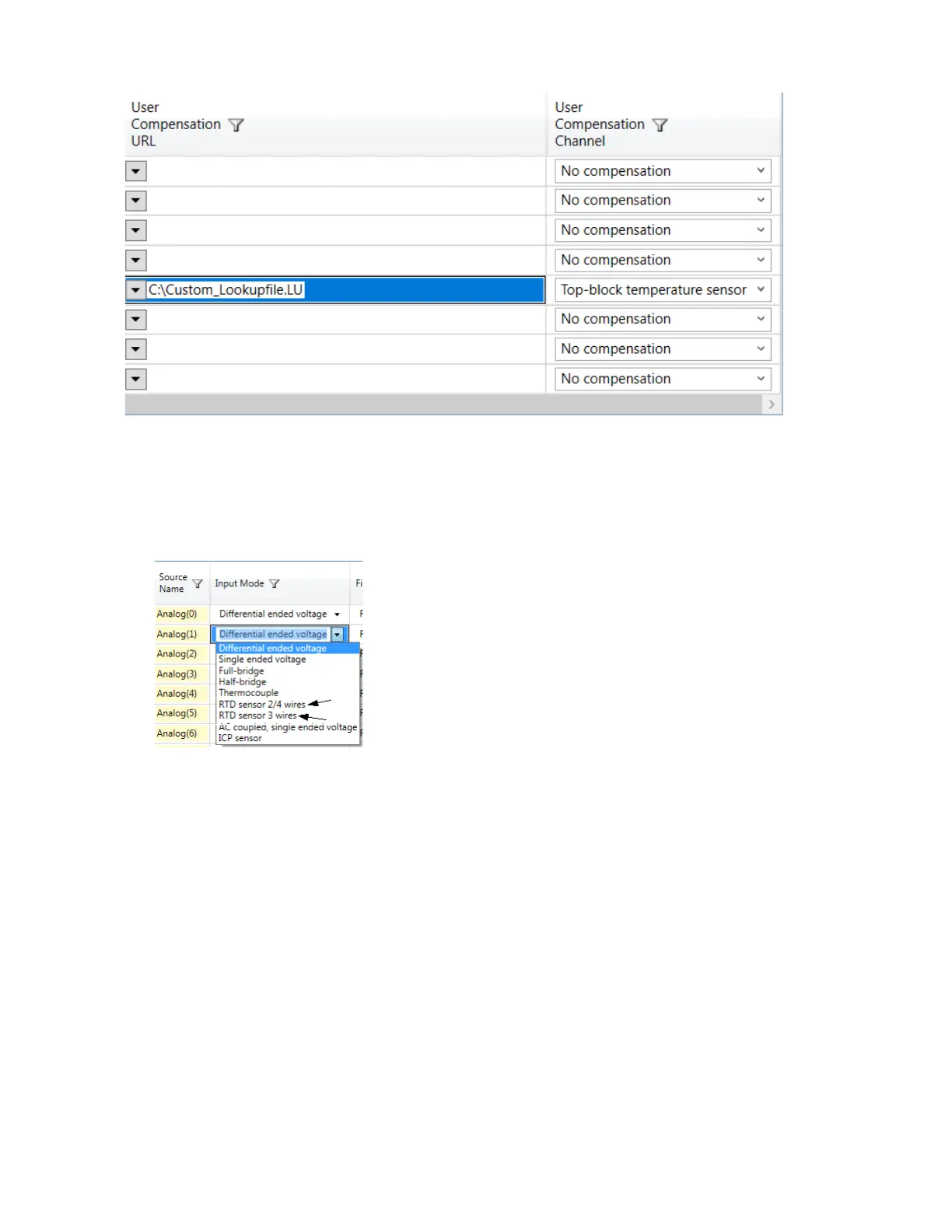
Configuring the AXN/ADC/401 for RTD 2/4 wire inputs or RTD 3 wire inputs
The same procedure for configuring RTD 2/4 wire and RTD 3 wire can be followed. The only difference is when
choosing the Input Mode setting.
1. In the Input Mode column of the channel you want to configure, click the drop-down arrow and do one of the
following:
• For RTD 2/4 wire input, choose RTD sensor 2/4 wires.
• For RTD 3 wire input, choose RTD sensor 3 wires.
2. Configure Filter Mode and Filter Cutoff for each filter tap point. (See “Defining Filter Mode and Filter Cutoff for
Input Modes” on page 32.)



 To Next Page