48 AXN Quick Start Kit User Guide (BK/0045 | 9 Aug. 2021)
3
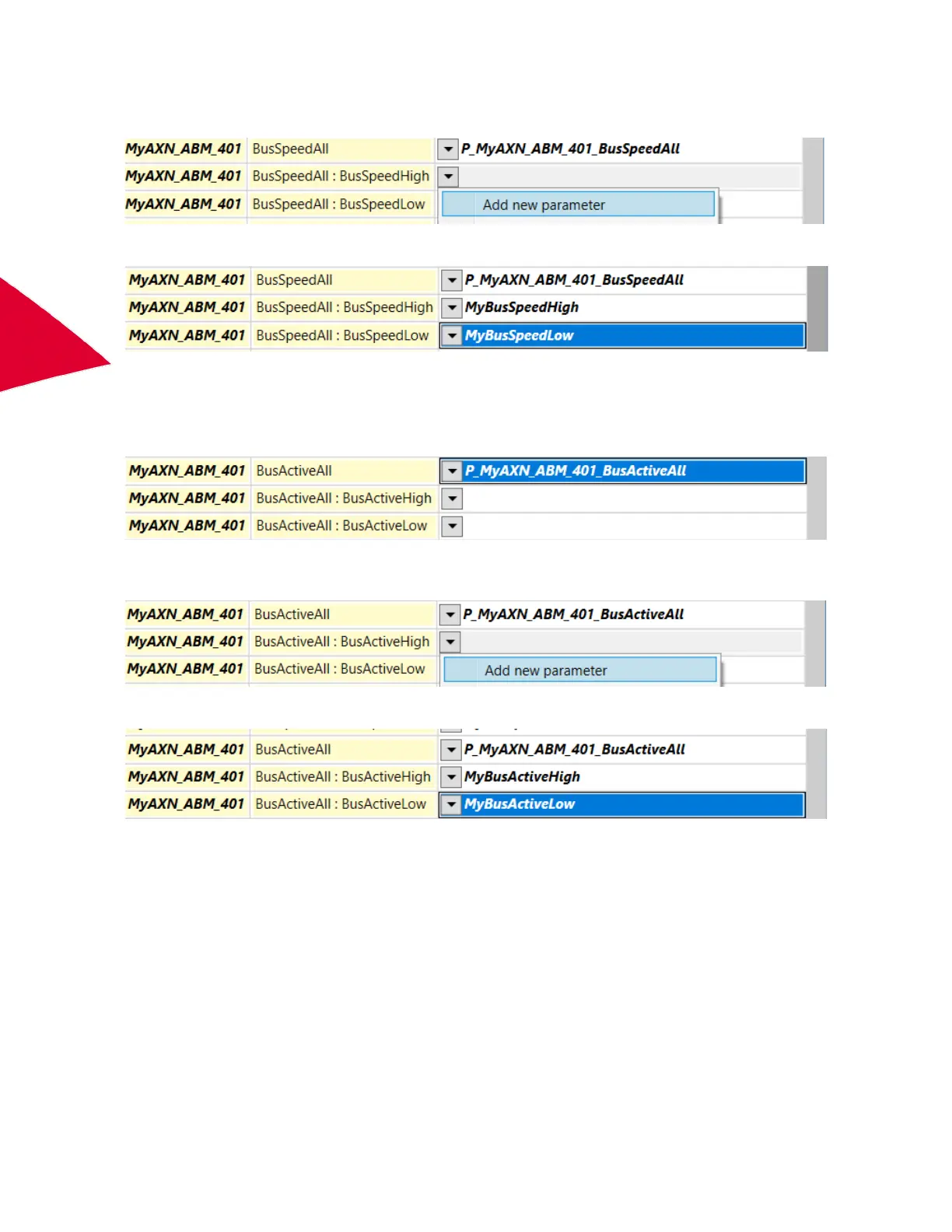
To break it down into two 16-bit high and low parameters, click on the drop-down arrow and select Add new
parameter.
New parameters are created.
For details of the bus speed parameters, see the data sheet.
Indications of which busses are active can be found in the BusActiveAll parameters. This parameter is available as
a 32-bit parameter, P_MyAXN_ABM_401_BusActiveAll or two 16-bit parameters. By default the 32-bit parameter is
available.
To break it down into two 16-bit high and low parameters, click the drop-down arrow and select Add new
parameter.
New parameters are created.
For details of the bus active parameters, see the data sheet.
For debug purposes, the AXN/ABM/401 type number is available from the parameter,
P_MyAXN_ABM_401_TypeNumber.
The ARINC-429 protocol allows three bit rates: 100 kbps, 50 kbps or 12.5 kbps. The AXN/ABM/401 supports all
three in either an Auto-detect mode or User-specified mode.
To set the bus speed to auto detect the bus speed on any channel, set Rate Control to Auto-detect.



 To Next Page