54 AXN Quick Start Kit User Guide (BK/0045 | 9 Aug. 2021)
3
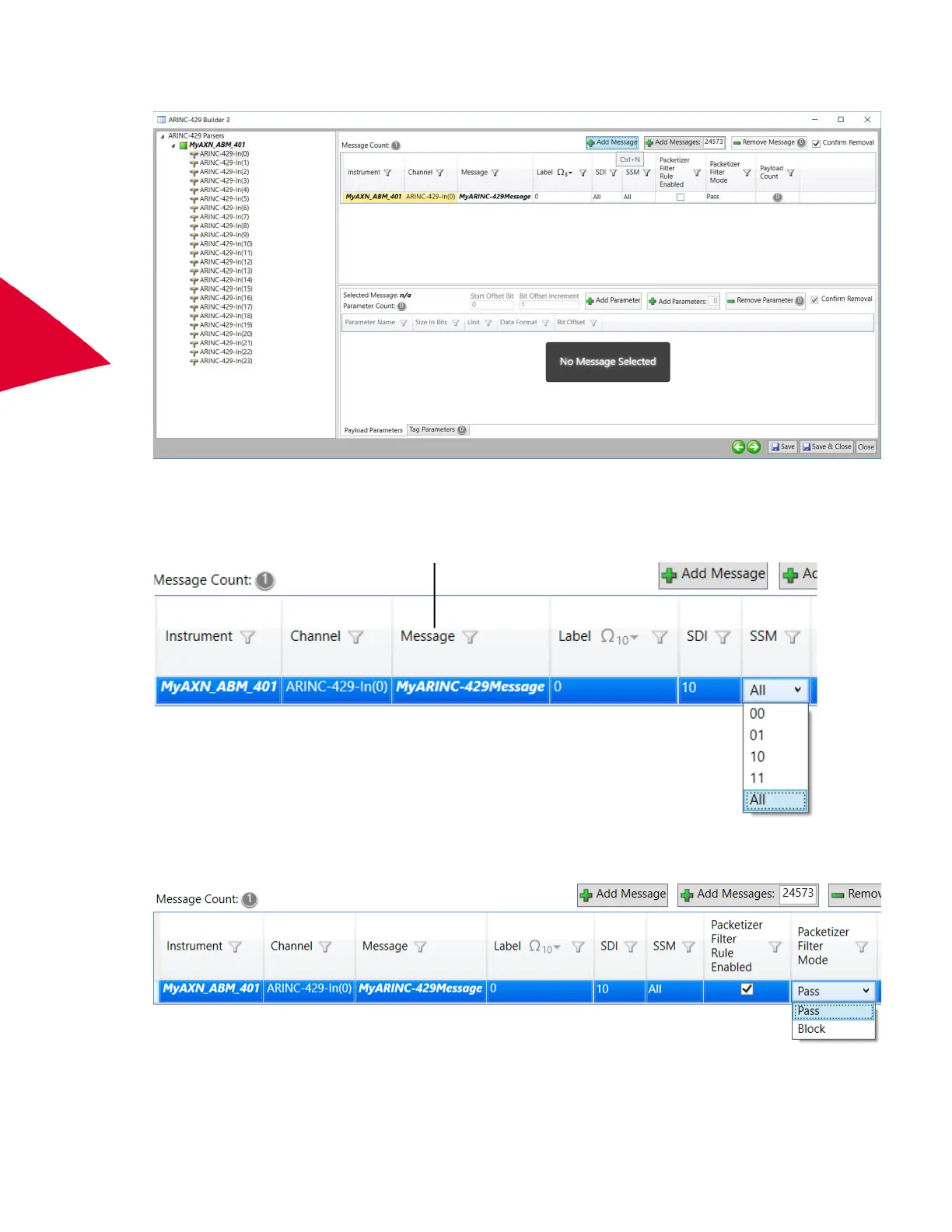
3. To define a single message on this bus, click Add Message.
The Message name corresponds to the name of the rule used to identify this individual ARINC-429 word. This
can be renamed by clicking on the message name and typing the new name.
The ARINC-429 label rule can be set to any valid Octal ARINC-429 value. SDI and SSM settings for this label
can be set to All, 00, 01, 10, or 11.
4. To enable this definition as a packetizer filter rule, select the Packetizer Filter Rule Enabled check box and
set Packetizer Filter Mode to Pass or Block.
N
OTE: Changing Packetizer Filter Mode on any message defined on a bus, applies to all messages defined
on that bus.
Message name



 To Next Page