56 AXN Quick Start Kit User Guide (BK/0045 | 9 Aug. 2021)
3
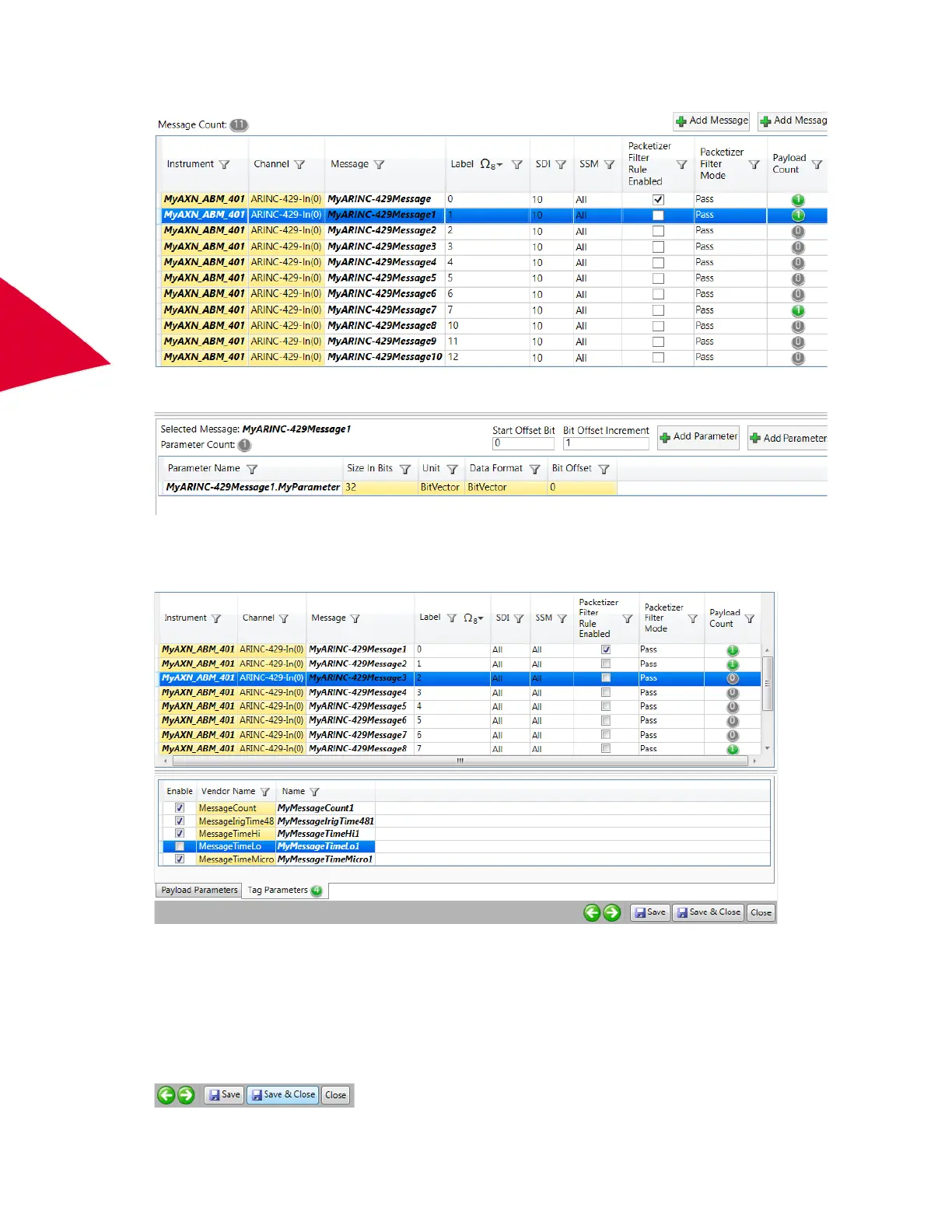
The parameter is added. Change the Parameter Name field if desired.
8. To get more information about an individual message, Tag Parameters per message can be enabled. These
include MessageCount and time parameters. To enable Tag Parameters, select one of the parameters of a
message and then click the Tag Parameters tab.
9. Select the parameters you want to add by clicking each parameter’s Enable check box. (Use the Ctrl key to
select non-contiguous parameters.)
MessageCount is the message count value for this individual instance of this message when it arrived.
MessageIrigTime48 is a 48-bit time tag parameter; the time when this message was received on this bus.
MessageTimeIrig48 may be broken down into MessageTimeHi, MessageTimeLo and MessageTimeMicro
parameters. The definitions of these parameters can be found in the AXN/ABM/401 data sheet.
10. To save your rule definitions, parameters, and tags click Save & Close.



 To Next Page