60 AXN Quick Start Kit User Guide (BK/0045 | 9 Aug. 2021)
3
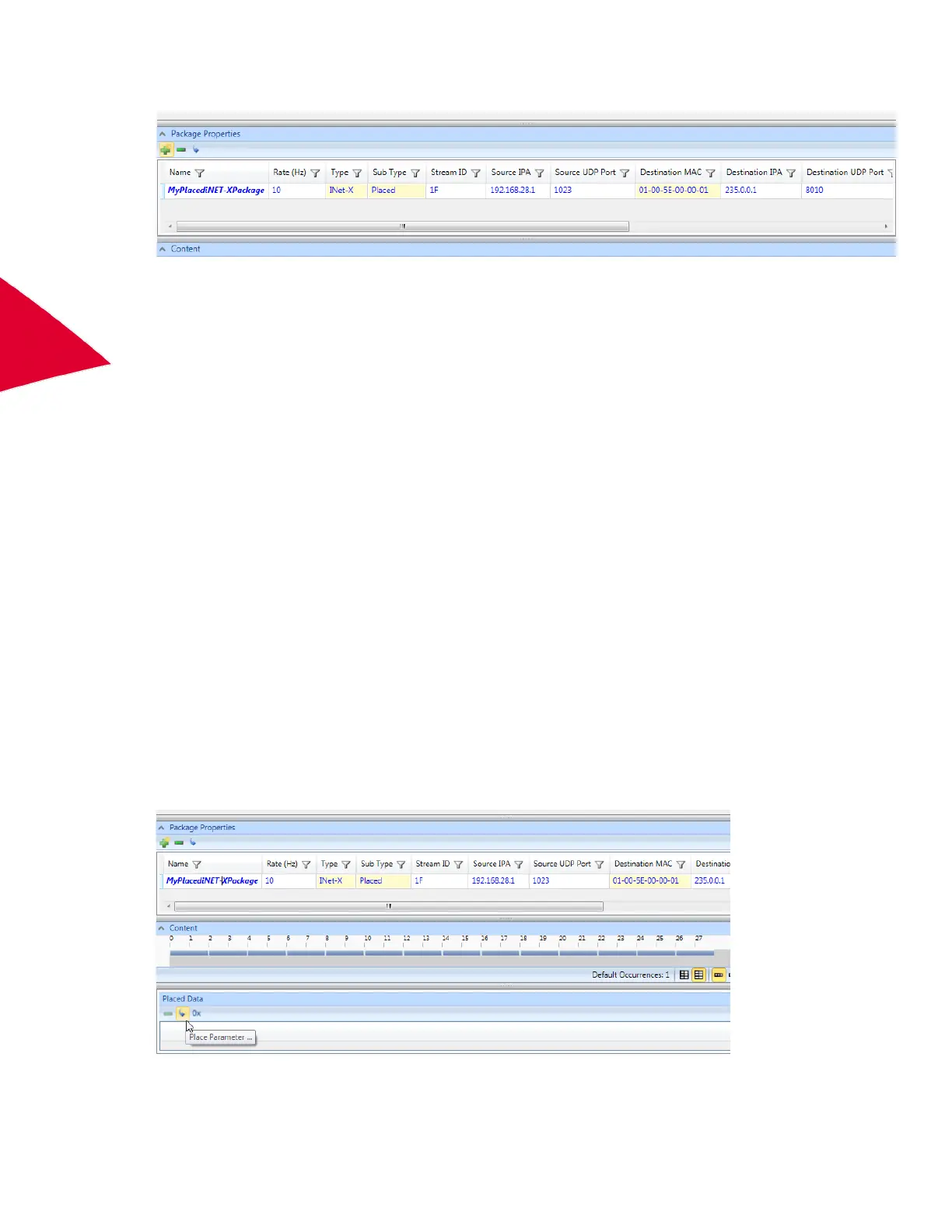
The package is added to the Package Properties pane..
Rename the package if required.
Set Stream ID to the required value (it must be a unique Hex value between 0 and FFFFFFFF).
Source IPA should match the IP address of the AXN/BCU/40x.
Source UDP Port is editable.
Destination MAC is automatically calculated based on Destination IPA address for multicast IP.
Making the Destination IPA address Unicast enables editing of the Destination MAC.
Destination UDP port is editable.
The Rate setting for the package is the most important setting. All parameters placed in this packet are
sampled at this rate multiplied by the number of samples in the packet. For example, a parameter placed once
in a 10-Hz packet is sampled once at 10-Hz intervals. A parameter placed four times in a 10-Hz packet is
sampled at 40 Hz.
When multiple packets are defined the acquisition cycle of the chassis is based on the slowest packet out of
the AXN/BCU/40x.
For example:
If two packets are defined, both at 10 Hz, the acquisition cycle is 10 Hz; each parameter in each packet is
sampled at the start of the acquisition cycle and any parameters sampled more than once in any packet are
sampled at even intervals throughout the 10-Hz cycle.
If two packets are defined, one at 1 Hz and one at 10 Hz, the acquisition cycle is 1 Hz with the 10-Hz packet
and its contents are sampled 10 times in the 1-Hz cycle. Each parameter in each packet is sampled at the start
of the acquisition cycle and any parameters sampled more than once in any packet are sampled at even
intervals throughout the 1-Hz cycle.
For packet rates that do not divide evenly into each other, such as 3 Hz or 7 Hz, the acquisition cycle is the
highest common factor of both rates.
6. To define the contents of a packet, select the package in the Package Properties pane.
7. Then in the Placed Data pane, click the Place Parameter button.
Parameters Palette opens.



 To Next Page