Joule 3.0 User Guide page 37
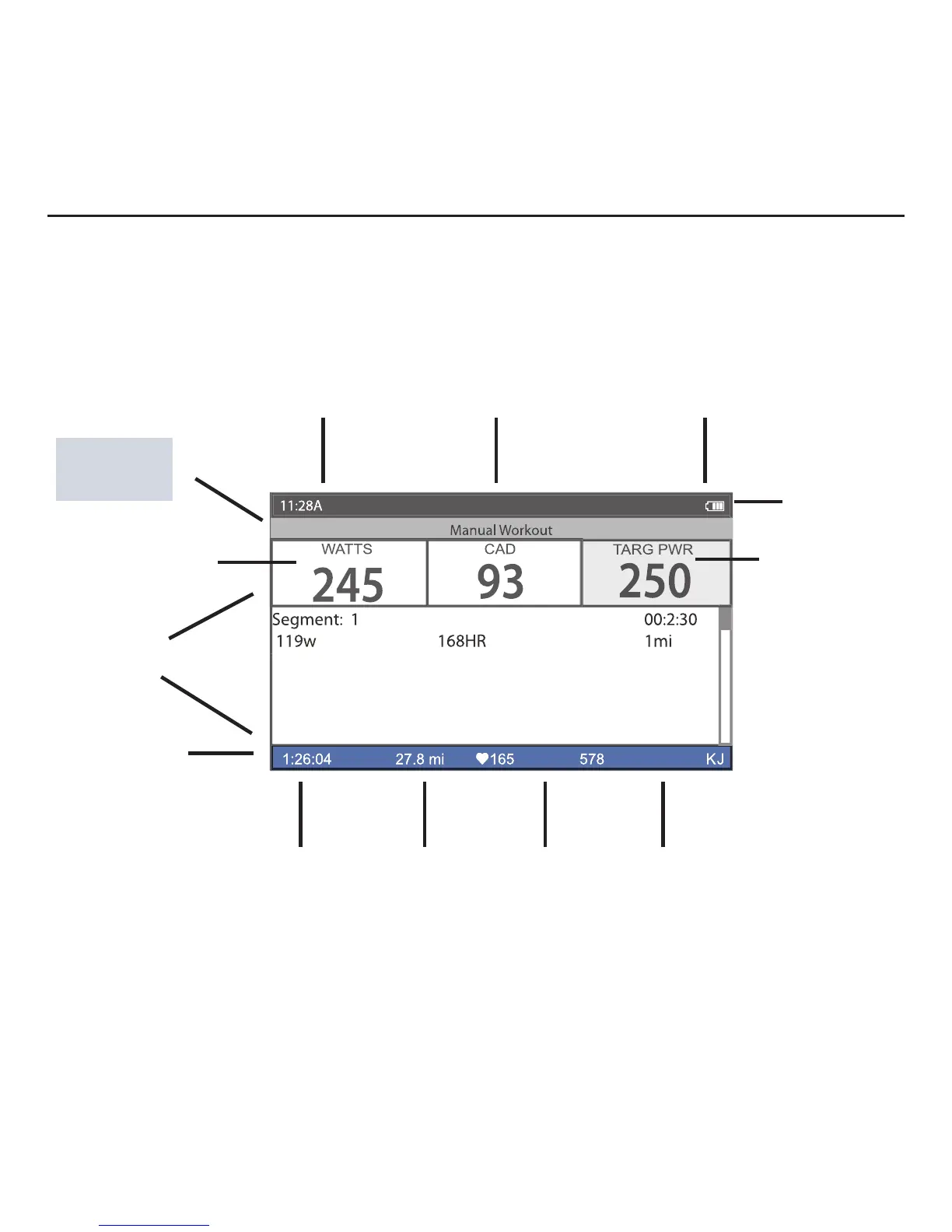
Title bar
Customizable
Metrics
Information
bar
Workout/
Activities
Type
Battery indicator
Chapter 5: Workouts
Using Workouts
Joule 3.0 has four display modes of operation: dashboard, reports, activities and menu indicated
by the title bar. Note: after the mode is displayed in the title bar for fi ve seconds, the time of day
will be displayed. Press and release [MODE] button to change from dashboard mode to report
mode to activites mode to menu mode. Note: Press in and release [HOME] at any time to return
to the dashboard mode.
Target Power
Upcoming Segments
Interval On/Off
Mode level indicator/
Alerts notifi cations
Total ride
distance
Average heart
rate for total
ride
Ride time Total ride KJ



 To Next Page