Mounting Instructions
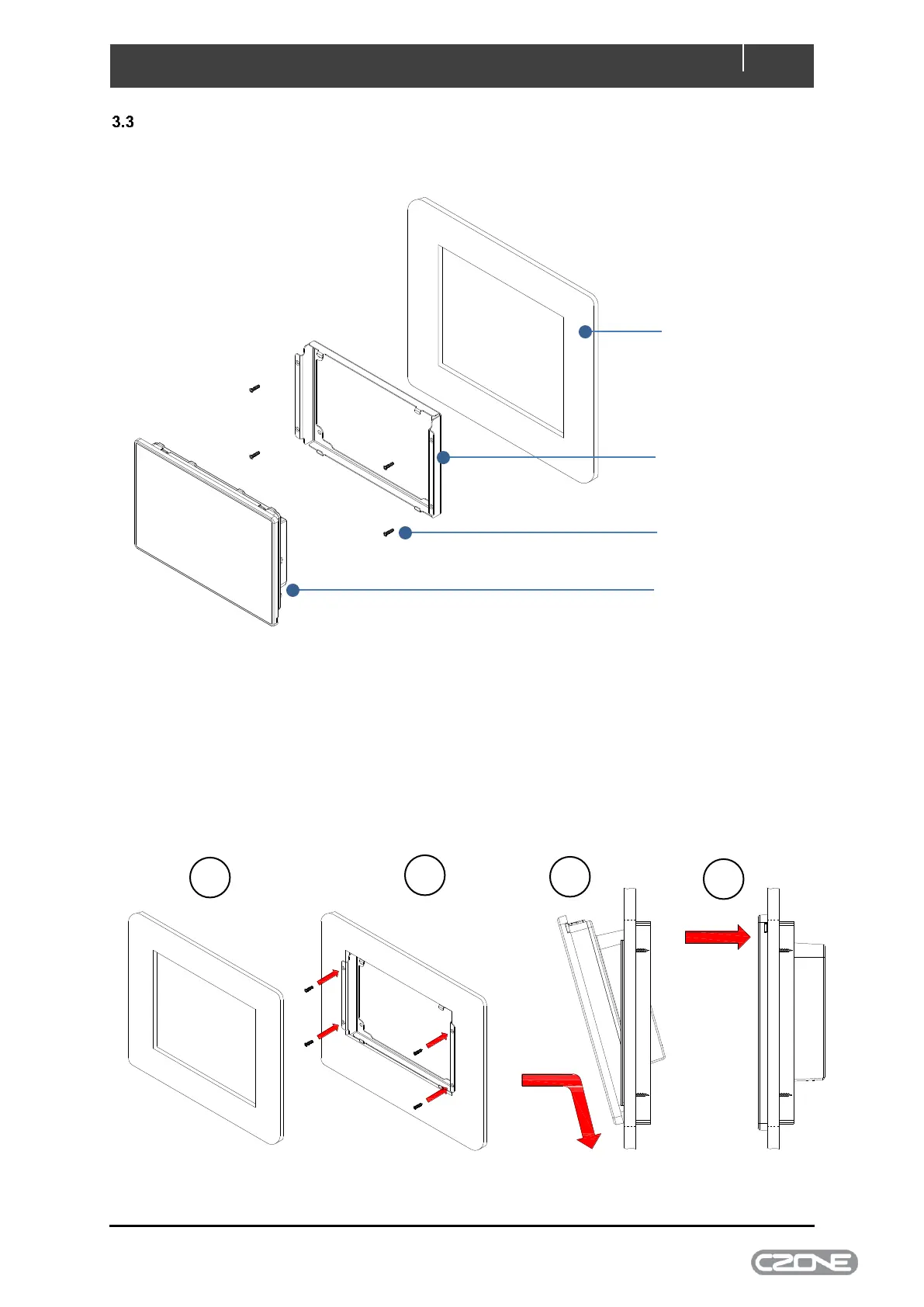
Follow the below steps for mounting the Touch 7 to the chosen mounting surface
Figure 8. Mounting Exploded View
1. Using the supplied mounting template as a guide, cut the hole in the mounting surface
2. Insert mounting bracket and screw to wall using 4 x supplied self-tapping screws
3. Secure display to mounting bracket by sliding the unit down on the 2 mounting bracket hooks.
Note: the bottom edge of unit should be touching the mounting surface for the display to
properly seat on hooks.
4. Once the bottom of unit is properly seated and flush with the mounting surface, carefully push
the top of the display until clipped securely in place
Figure 9. Mounting Steps



 To Next Page