Setting Up Wireless Server
The Wireless Server, when enabled will show on the CZone network as a separate Wireless
Interface. For the server to allow communication between the CZone system and an iPad it is
important that the CZone configuration includes the two devices (Display Interface and Wireless
Interface) each with a unique dipswitch.
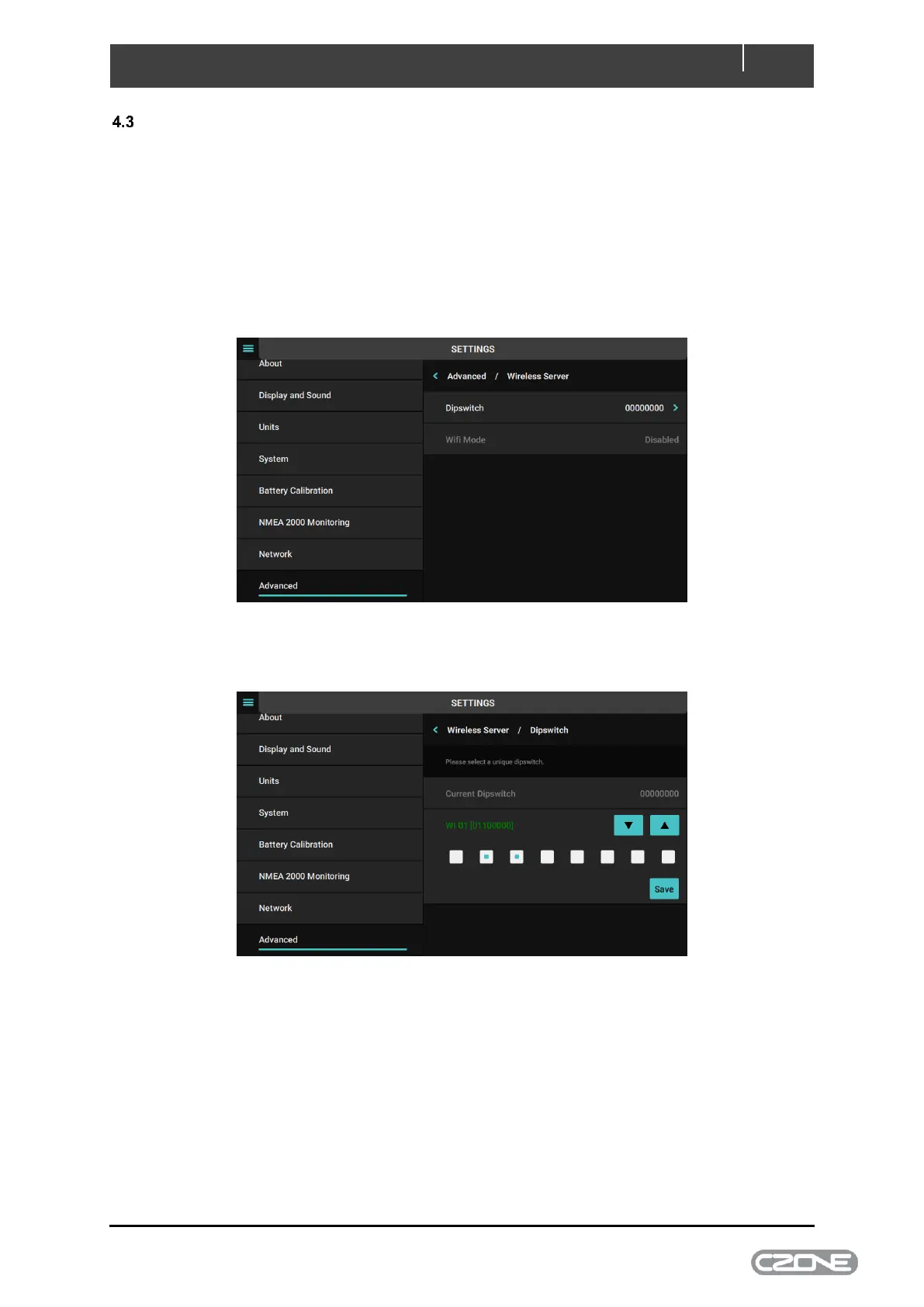
Follow the below steps to enable the Wireless Server on the Touch 7, by default the WiFi will be
disabled.
1. Go to Settings > Advanced > Wireless Server.
2. Enter the dipswitch as assigned in the CZone configuration, which should be different to the
Touch 7 (Display Interface) dipswitch and press Save



 To Next Page