Network Configuration
The Touch 7 has internal WiFi that can be used for controlling the CZone system wirelessly from an
iPad and for writing favorites packages wirelessly from a PC. There are 3 different configurations
depending on the availability of other Wireless Networks on the vessel or vehicle. The configuration
type is set on the display, but it is important to decide which network type to use before installation.
See below for a description of each:
2.5.1 Access Point
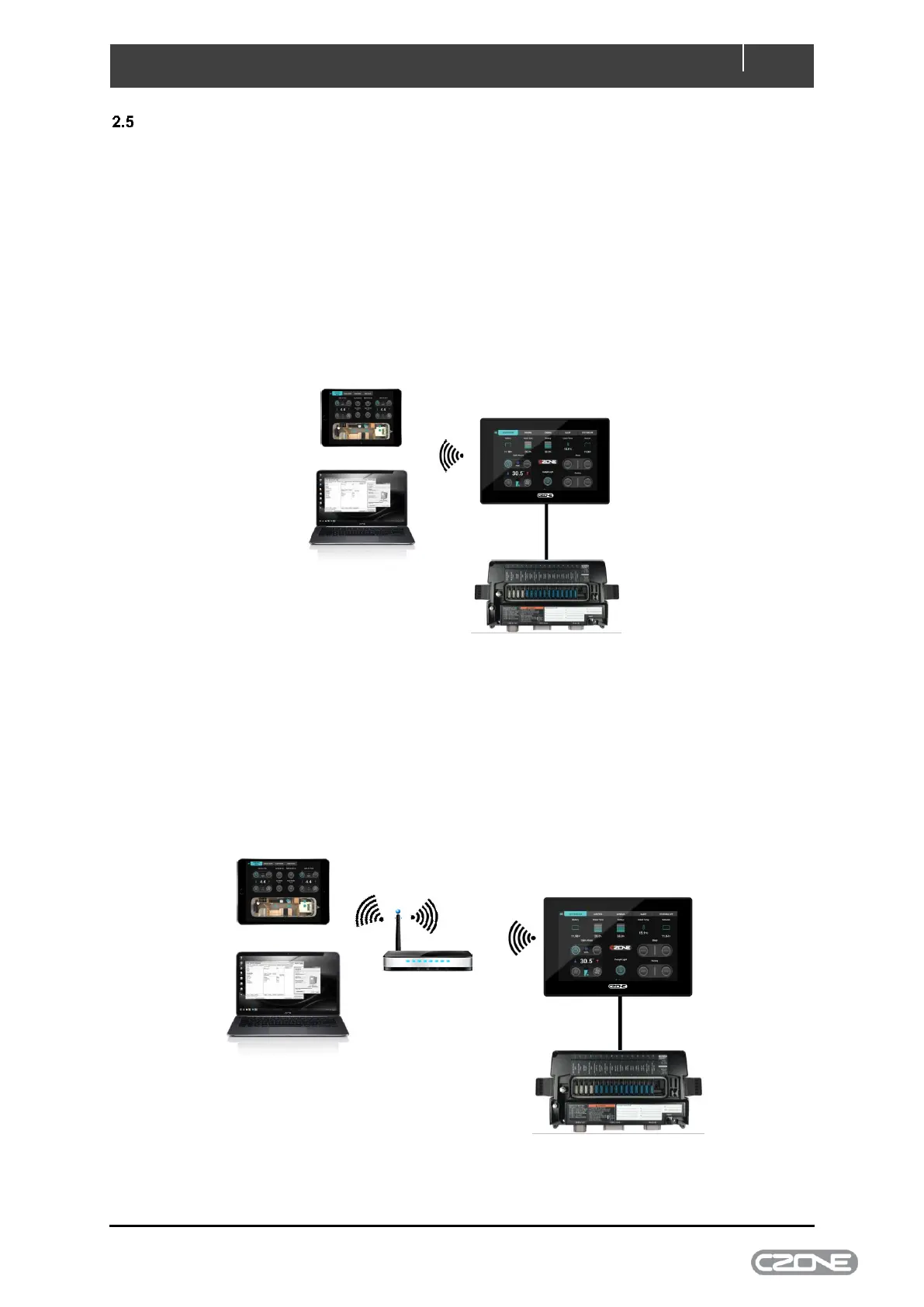
Use access point if the Touch 7 is the only wireless device onboard the vessel or you want to keep
the wireless devices separate with the iPad and PC communicating directly to the Touch 7.
Figure 4. Access Point Example
2.5.2 Client Mode (Wireless)
Use client mode if you plan to use another Wireless Network onboard the vessel as the access point,
with the Touch 7 connected to this network via WiFi. This simplifies the system as you will not need to
keep changing between Wireless networks when using the CZone App.
Figure 5. Client Mode Wireless Example



 To Next Page