Display Removal
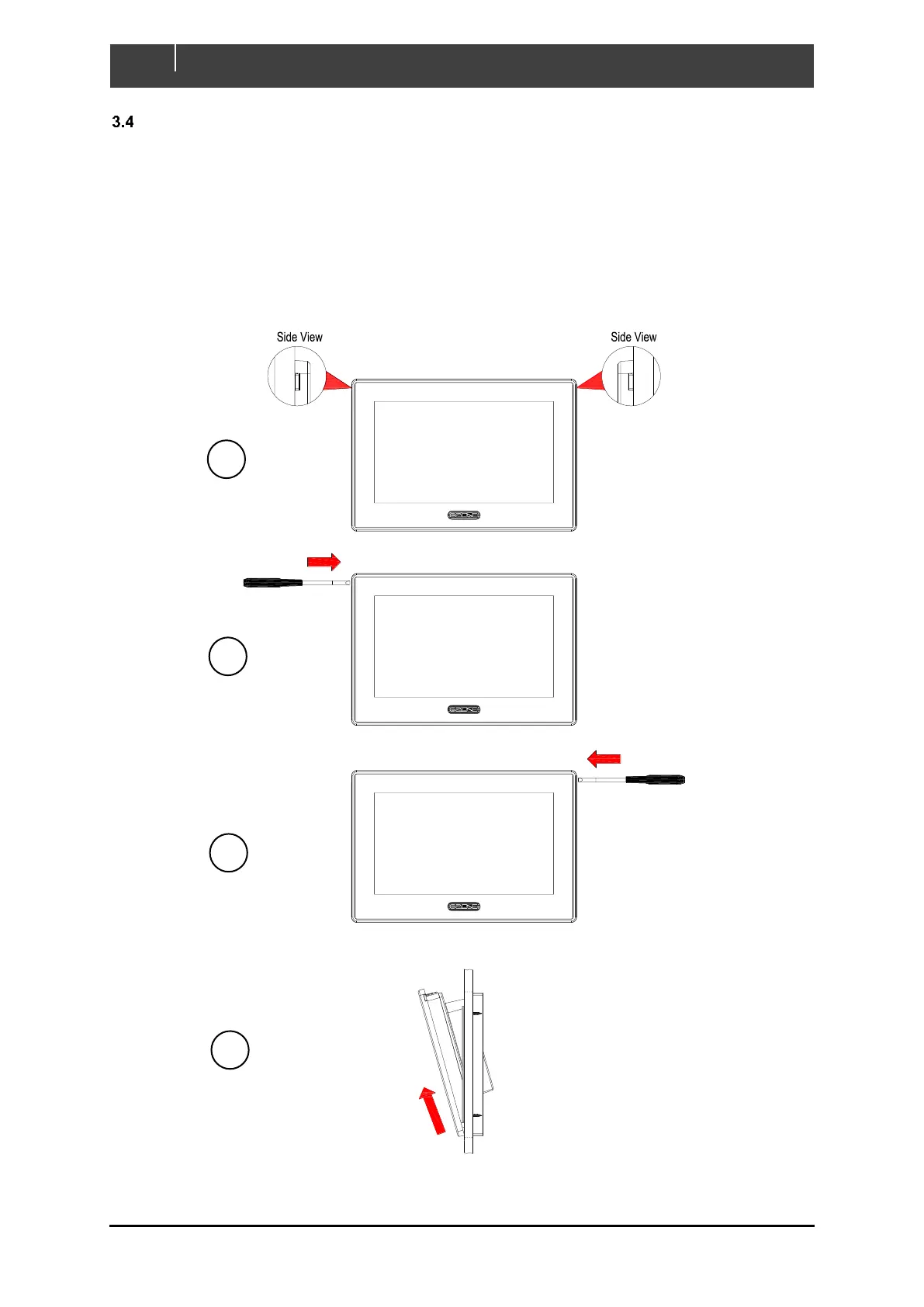
Follow the below steps to remove the Touch 7 from mounting bracket once installed
1. Locate the 2 release tabs at the top sides of display
2. Using an appropriately sized flat head screwdriver or similar, carefully push one of the release
tabs in about 5mm until it unclips from bracket.
3. Repeat the same process on the other side of display until the top is completely unclipped.
4. Carefully pull the display up and away from bracket (ensure all connectors are removed first if
the unit is already wired).
Figure 10. Removal Steps



 To Next Page