105D-Link DIR-878 User Manual
Section 5 - Quick VPN
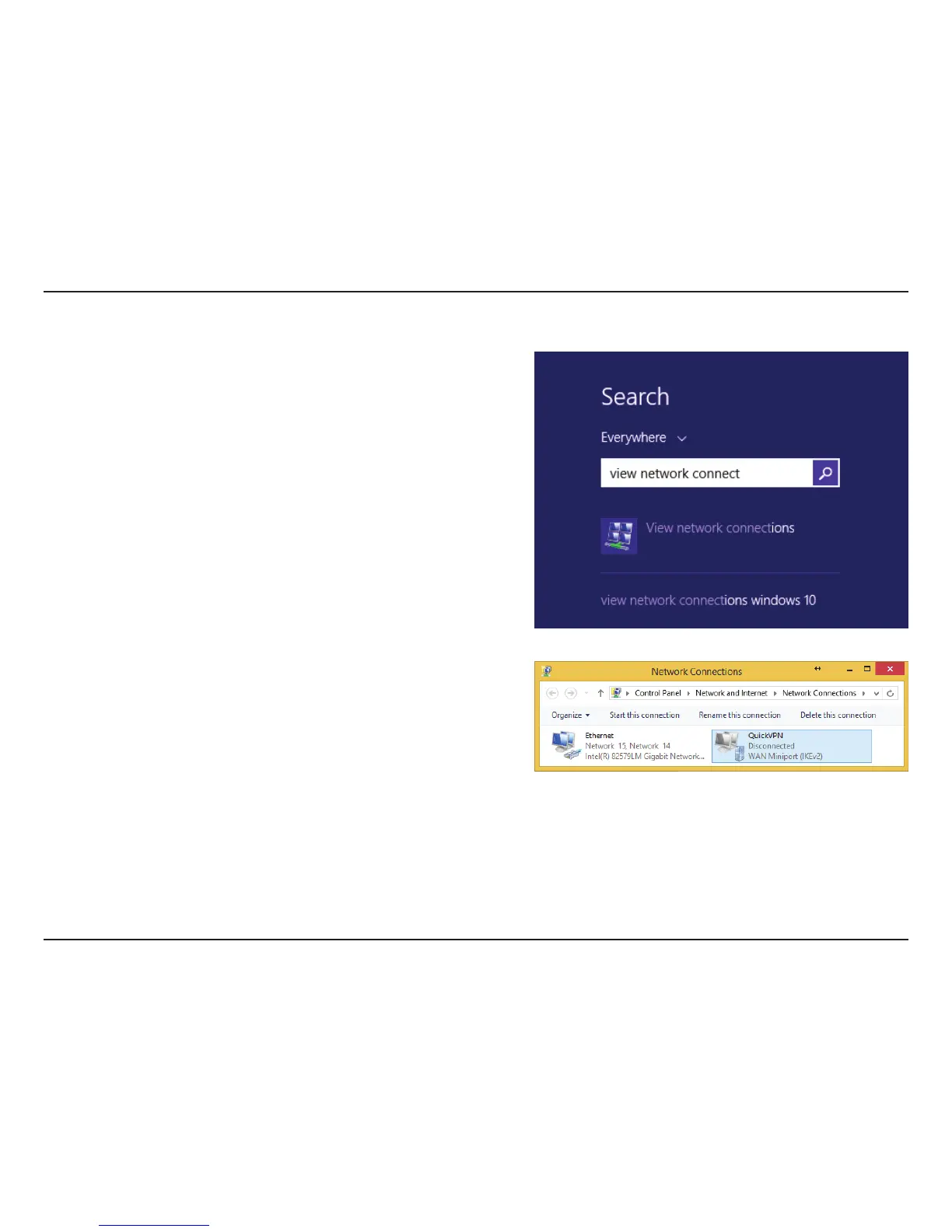
Click the Start button and type view network connections.
Select View network connections.
Right-click your Quick VPN Connection and left-click Properties.
Select the Security tab.
For the Type of VPN, select -BZFS5VOOFMJOHXJUI*1TFD-51*14FD
VPN Setup Instructions (Continued)









 To Next Page