37D-Link DIR-878 User Manual
Section 4 - Conguration
IPv6
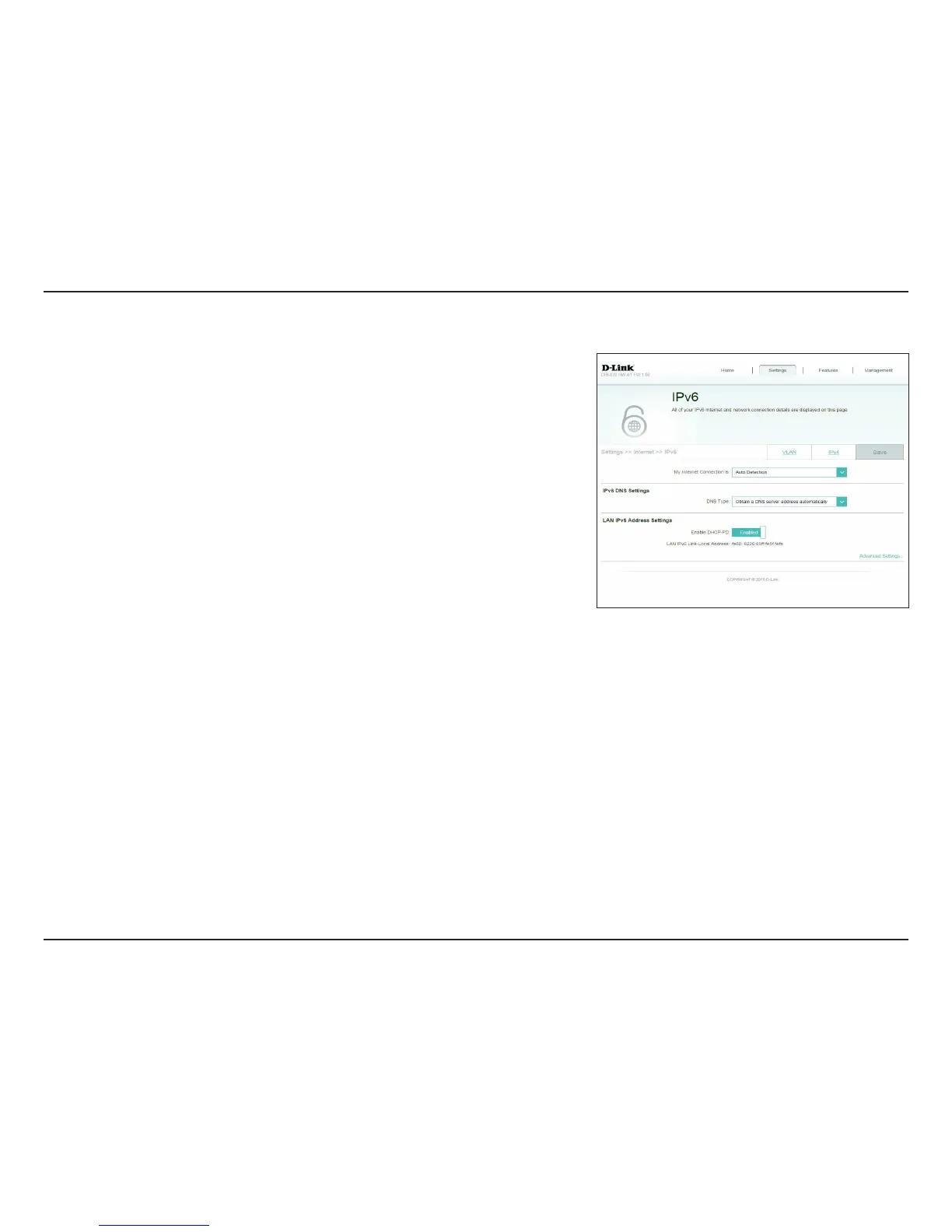
To congure an IPv6 connection, click the IPv6 link. To return to the IPv4
settings, click IPv4.
For "VUP%FUFDUJPO refer to page 38.
For Static IPv6 refer to page 40.
For "VUP$POöHVSBUJPO4-""$%)$1W refer to page 42.
For 111P& refer to page 45.
For IPv6 in IPv4 Tunnel refer to page 49.
For 6 to 4 refer to page 52.
For 6rd refer to page 54.
For -PDBM$POOFDUJWJUZ0OMZ refer to page 56.
My Internet
Connection Is:
Choose your IPv6 connection type from the drop-down menu. You
will be presented with the appropriate options for your connection
type. Click "EWBODFE4FUUJOHT to expand the list and see all of the
options.









 To Next Page