40D-Link DIR-878 User Manual
Section 4 - Conguration
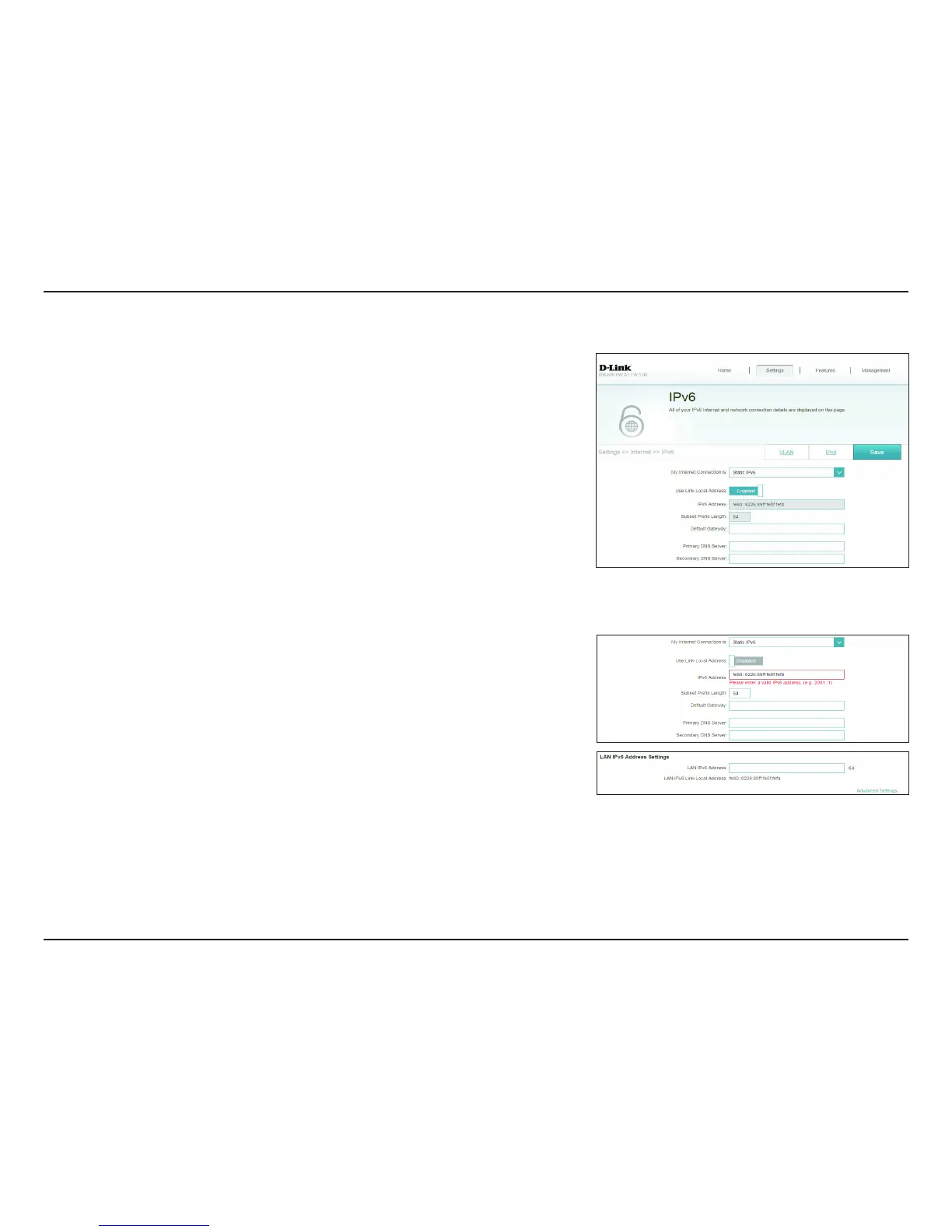
Static IPv6
Select Static IP if your IPv6 information is provided by your Internet Service
Provider (ISP).
Use Link-Local
Address:
Enable or disable link-local address use.
Default Gateway: Enter the default gateway for your IPv6 connection.
Primary DNS
Server:
Enter the primary DNS server address.
Secondary DNS
Server:
Enter the secondary DNS server address.
If Use Link-Local Address is disabled these additional parameters are available for
conguration:
IPv6 Address: Enter the address supplied by your ISP.
Subnet Prex
Length:
Enter the subnet prex length supplied by your ISP.
LAN IPv6 Address Settings
LAN IPv6 Address: Enter the LAN (local) IPv6 address for the router.
LAN IPv6 Link-
Local Address:
Displays the router’s LAN link-local address.









 To Next Page