20D-Link DAP-1650 User Manual
Section 3 - Conguration
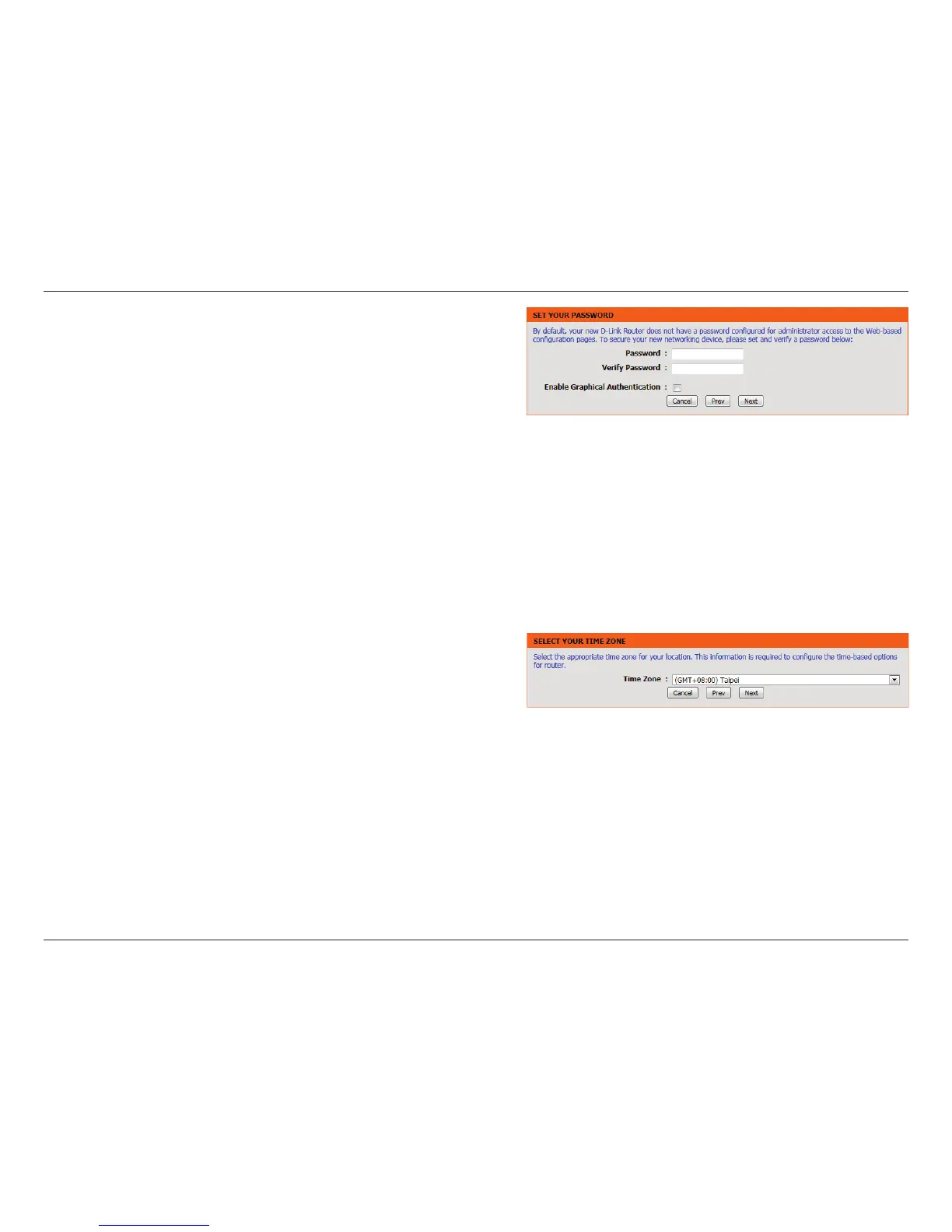
Enter your password. By default, Admin is selected as the username
and cannot be changed, and by default, the password is blank.
Check the Enable Graphical Authentication box to enable CAPTCHA
authentication for added security. Click Next to continue.
Select your time zone from the drop-down menu and click Next to
continue.


 To Next Page