19D-Link DAP-1650 User Manual
Section 3 - Conguration
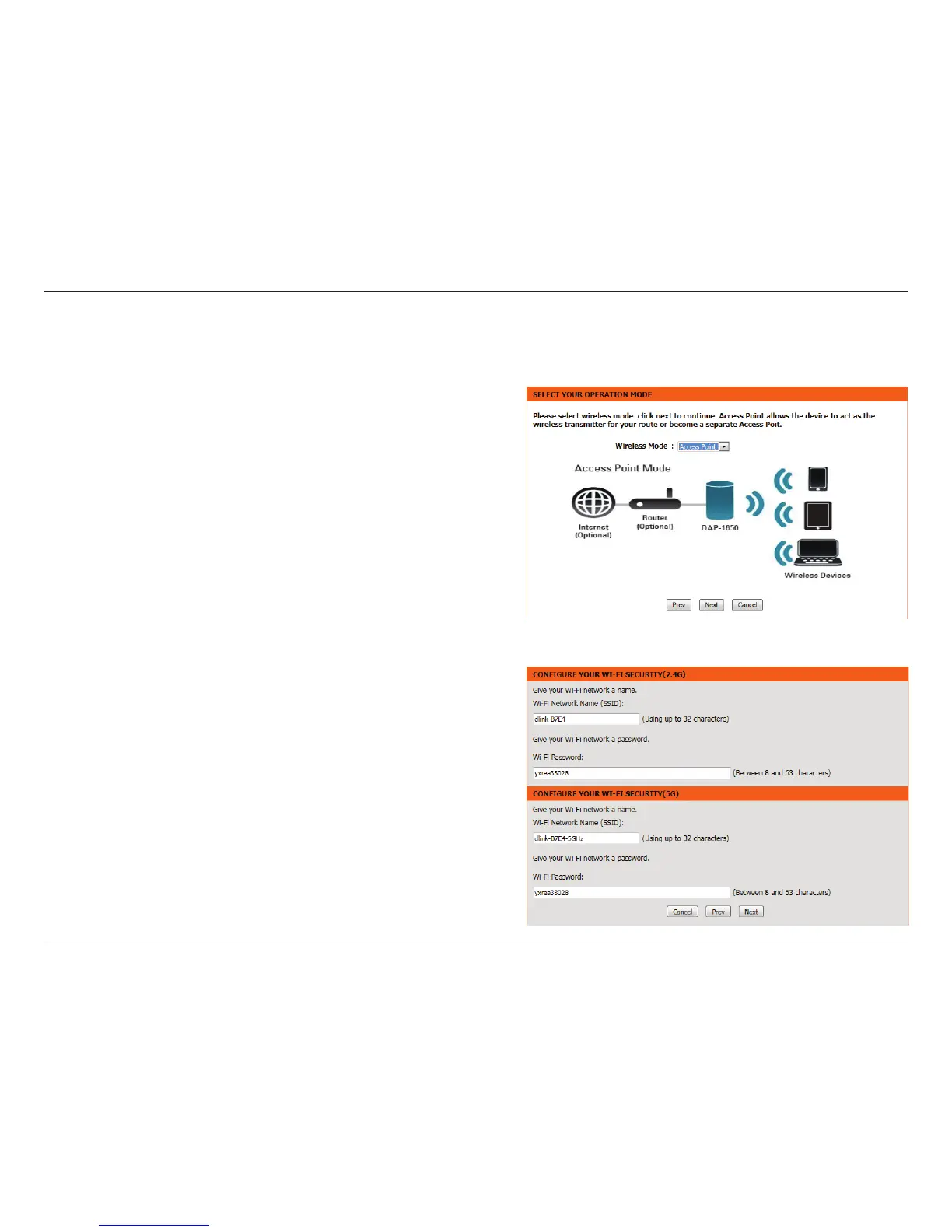
This wizard is designed to assist you in conguring your DAP-1650 as an access point.
Access Point Mode
Select Access Point from the drop-down menu. Then, click Next to
continue.
This screen will help you to set a network name (SSID) and security
password for your wireless network. Specify an SSID for both the
2.4 GHz and 5 GHz bands (these names must not be the same).
It is possible to use the same wireless security password for both
networks. If you wish to use a dierent password for each network
(recommended) enter the desired passwords in the 2.4 GHz Wi-Fi
Password and 5 GHz Wi-Fi Password elds.
Click Next to continue.


 To Next Page