8D-Link DAP-1650 User Manual
Section 1 - Product Overview
Hardware Overview
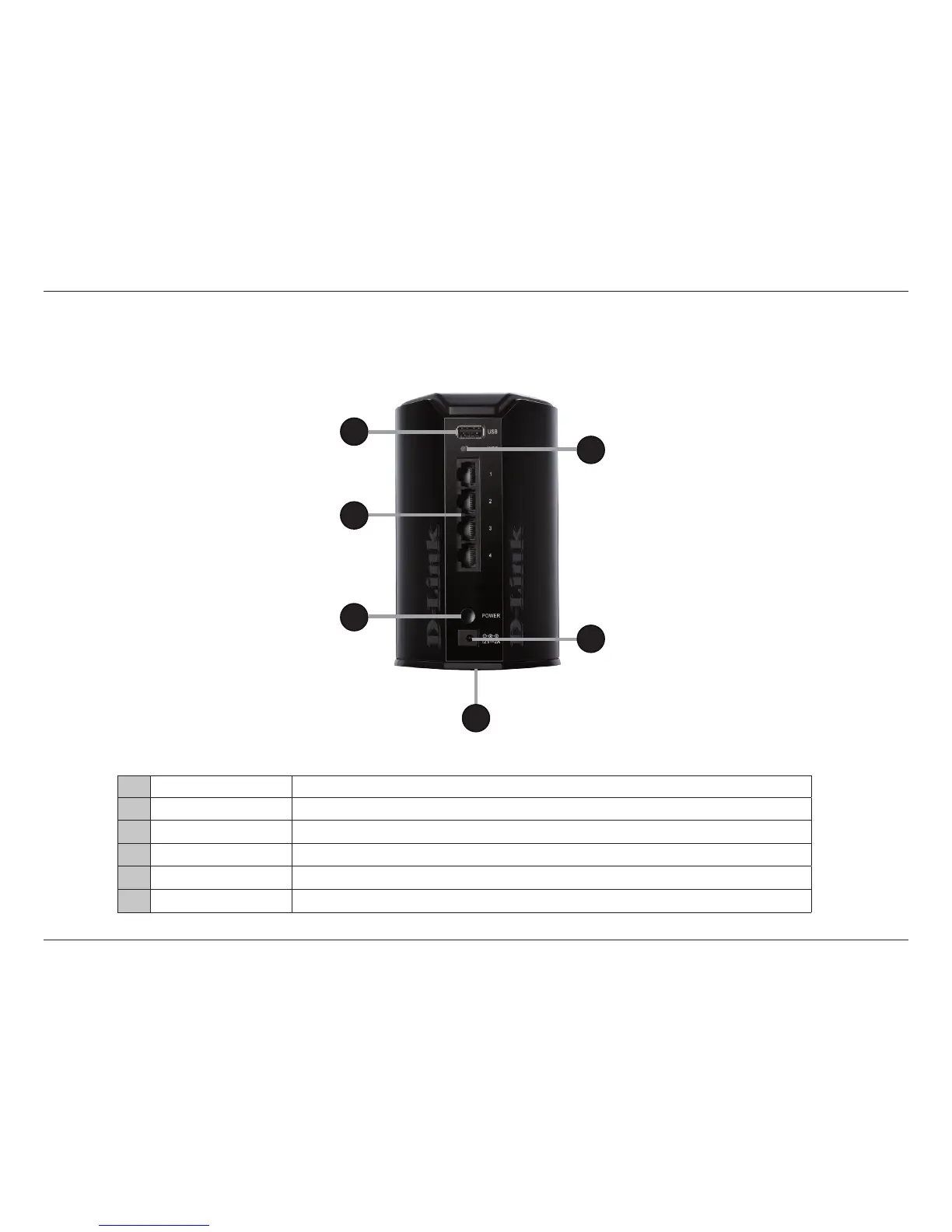
Connections
1 USB Port Connect a USB storage device to enable network wide access.
2 WPS Button Use WPS (Wi-Fi Protected Setup) to easily create a secure connection to new devices.
3 LAN Ports Connect 10/100/1000 Ethernet devices such as computers, switches, and hubs.
4 Power Switch Press to turn power to the unit on or o.
5 Power Receptor Receptor for the supplied power adapter.
6 Reset Button (base) Press the reset button to return the device back to it’s factory conditions.
1
3
4
5
2
6


 To Next Page