23D-Link DAP-1650 User Manual
Section 3 - Conguration
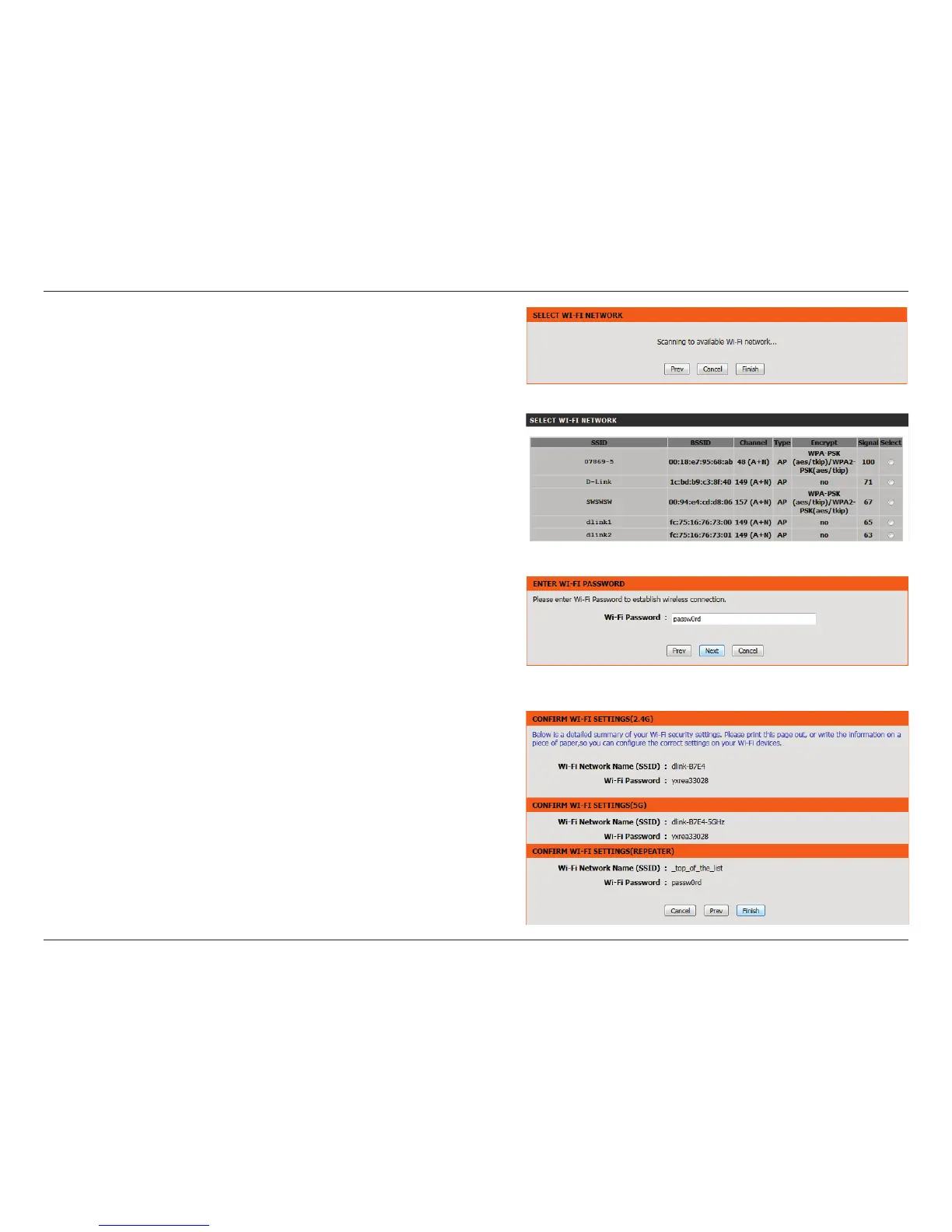
The wizard will scan for available wireless networks.
Select the network you wish to extend and click Next.
Enter your password for that wireless network and click Next.
A summary page will be displayed, showing the current settings for
your 2.4 GHz and 5 GHz wireless networks. It is recommended that
you make a note of this information for future reference.
Click Finish to save your network settings.
In order for your network settings to take eect the AP will reboot
automatically.
When the device has nished rebooting the main screen will display.


 To Next Page