33D-Link DAP-3711 User Manual
Section 3 - Conguration
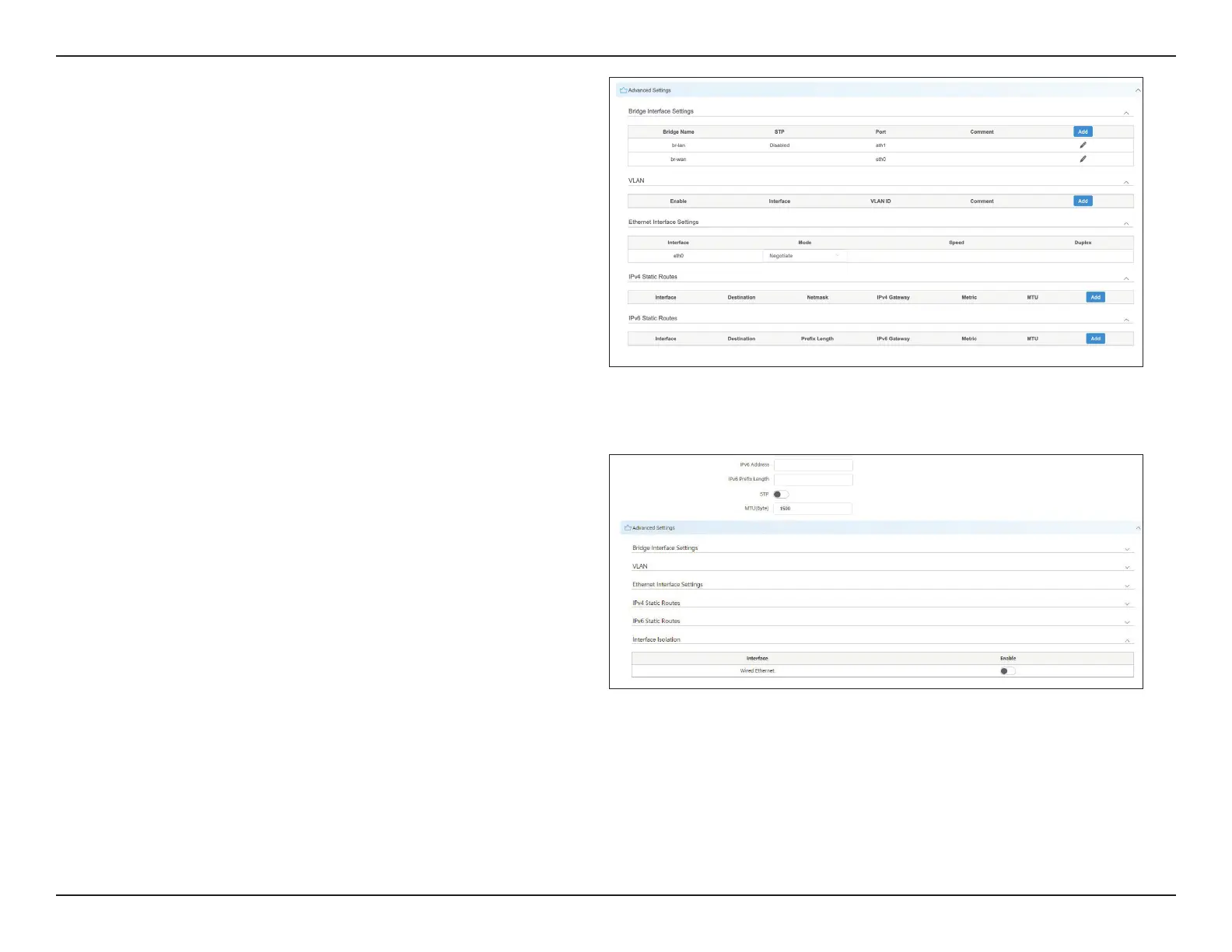
In this section, you can congure settings such
as static routes. In general, users will not need to
congure anything in this section.
This displays and controls the DAP-3711’s bridge
policy.
This displays the DAP-3711 VLAN ID tag.
Use this to select the LAN port’s speed negotiation
mode.
Use this to add the Static Route rule for the DAP-
3711.
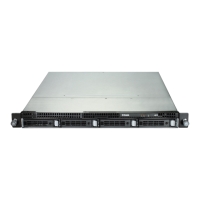
After enabling this function, the two wired
interfaces of the device cannot ping each other
Advanced
Settings:
Bridge
Interface
Setting:
VLAN:
Ethernet
Interface
Setting:
IPv4/IPv6
Static Route:
Interface
Isolation:













 To Next Page