8D-Link DAP-3711 User Manual
Section 1 - Product Overview
Hardware Overview
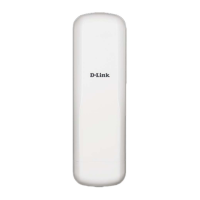
LED Indicators
1 Power Power indicator. Green light indicates the power is on.
2 LAN
Network connection light. A steady green light indicates the LAN port of the PoE power supply
is connected to a network device. A ashing green light indicates data is being transmitted.
3 WLAN Wireless indicator. Lights up to indicate wireless activation. Flashes when data is being transmitted.
4 Signal Strength
Signal strength indicator. A red light indicates a weak signal. Red and yellow together indicates
a medium signal. Yellow, red and green together indicates a strong signal.
1 3
2
4













 To Next Page
