7D-Link DAP-X3060 User Manual
Section 1 - Product Overview
Hardware Overview
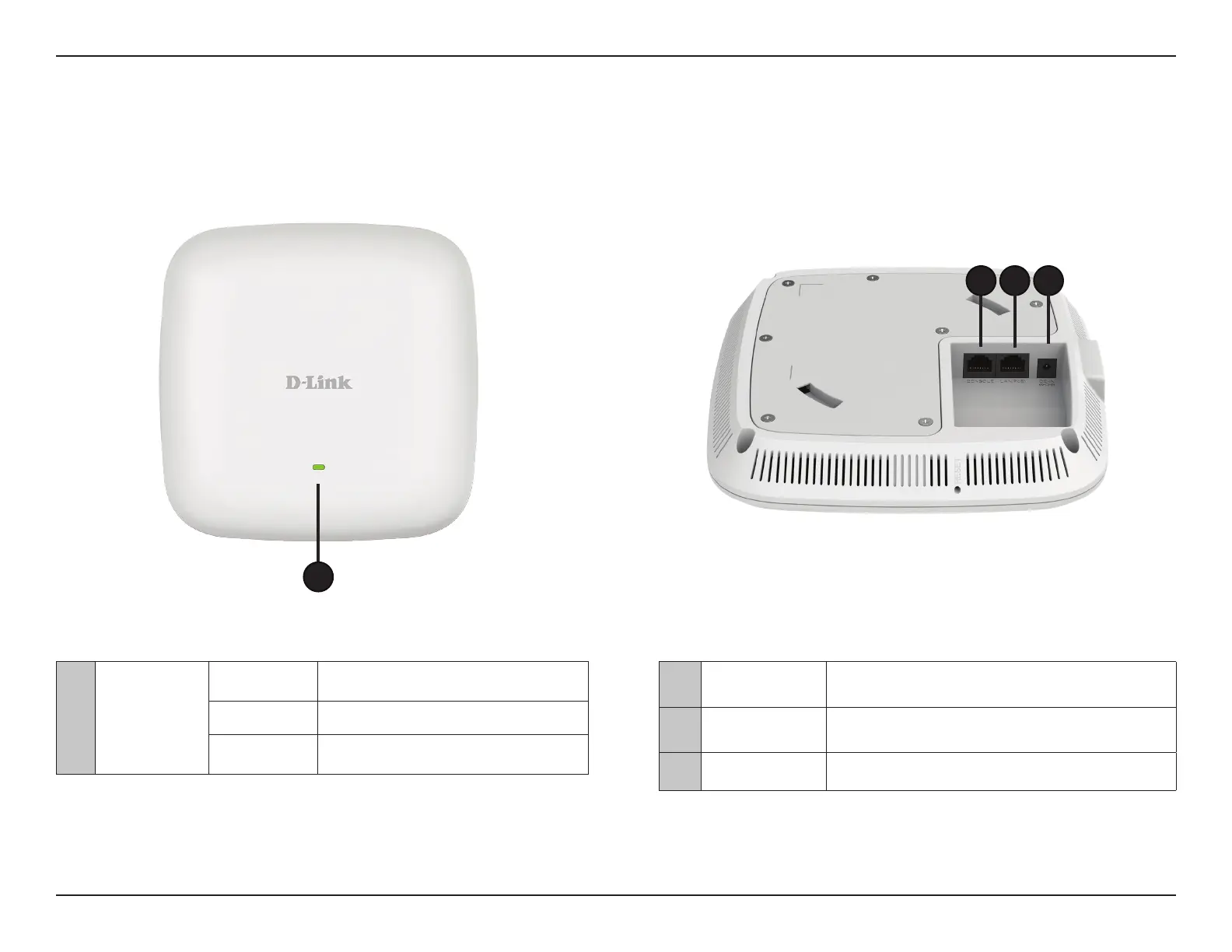
LEDs Connections
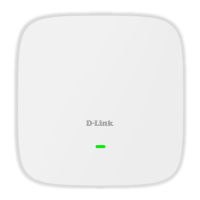
2 Console Port RJ45 console port for debug
3 LAN (PoE) Port
Connect to a Power over Ethernet (PoE) switch or router via
an Ethernet cable.
4 Power Receptor
Connect the supplied power adapter. (*Note: no longer
used, replaced by PoE)
1 Power/Status
Solid Red Indicates the access point has malfunctioned.
Blinking Red This LED will blink during boot-up.
Solid Green
Indicates that the DAP-X3060 is working
properly.
1
432


 To Next Page