11D-Link DCH-M225 User Manual
Section 2 - Product Setup
Connect Your DCH-M225 to Your Router Using WPS
Step 2 - Press the WPS button on your wireless router.
The easiest and most secure way to connect your DCH-M225 to your the router or access point is with WPS (Wi-Fi Protected
Setup). Refer to your user manual for your router or access point to make sure you understand how to enable WPS. Once you
know, follow the steps below:
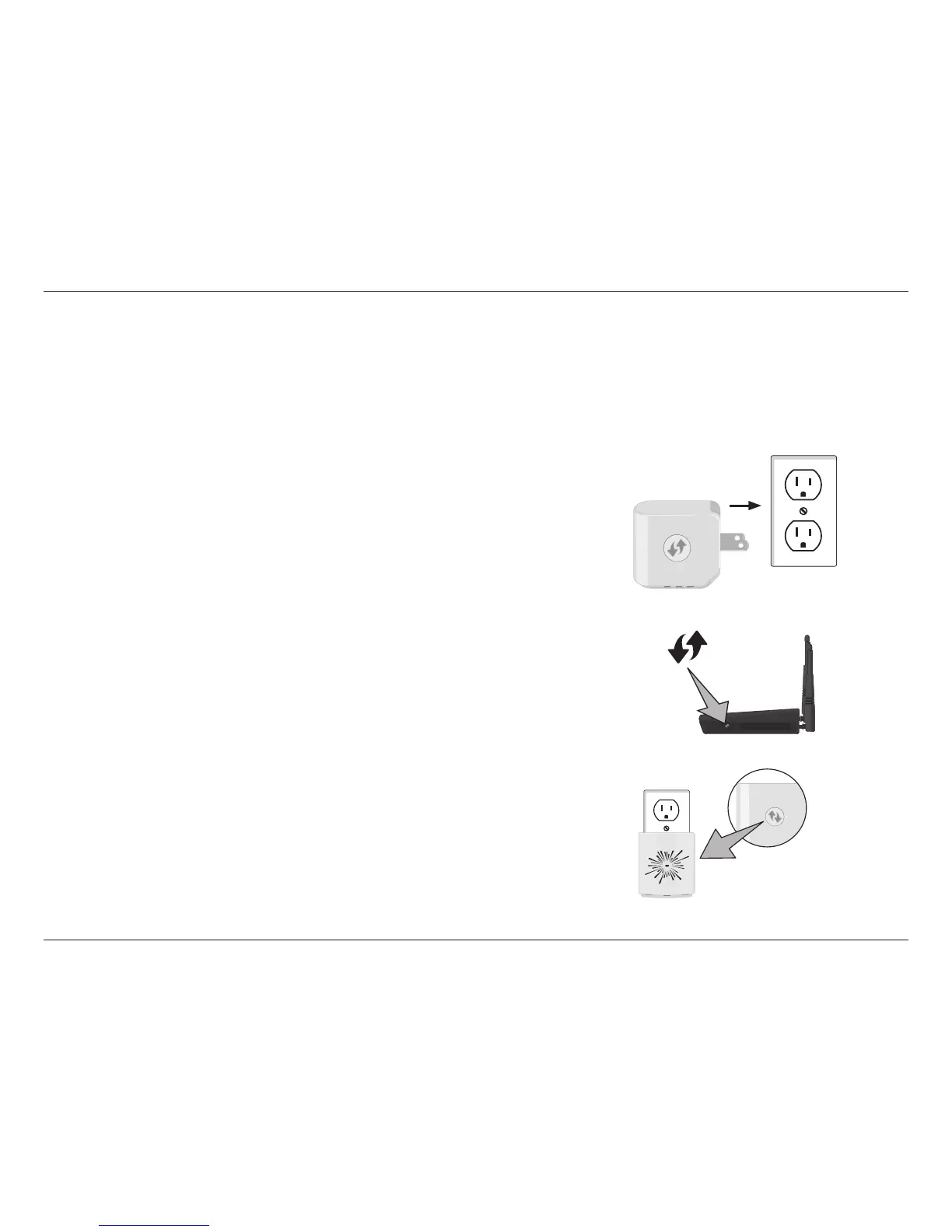
Step 1 - Find an available outlet near your wireless router. Plug in the DCH-M225,
and wait until the LED starts blinking amber.
Step 3 - Within one minute, press and hold the WPS button on the DCH-M225
until the LED starts blinking green and then release. Allow up to two
minutes for the WPS process to complete.
WPS Button
Note: Usually the WPS LED will blink once it is pressed. Check your router’s
user manual for more information.
WPS Button


 To Next Page