31D-Link DCH-M225 User Manual
Section 3 - Conguration
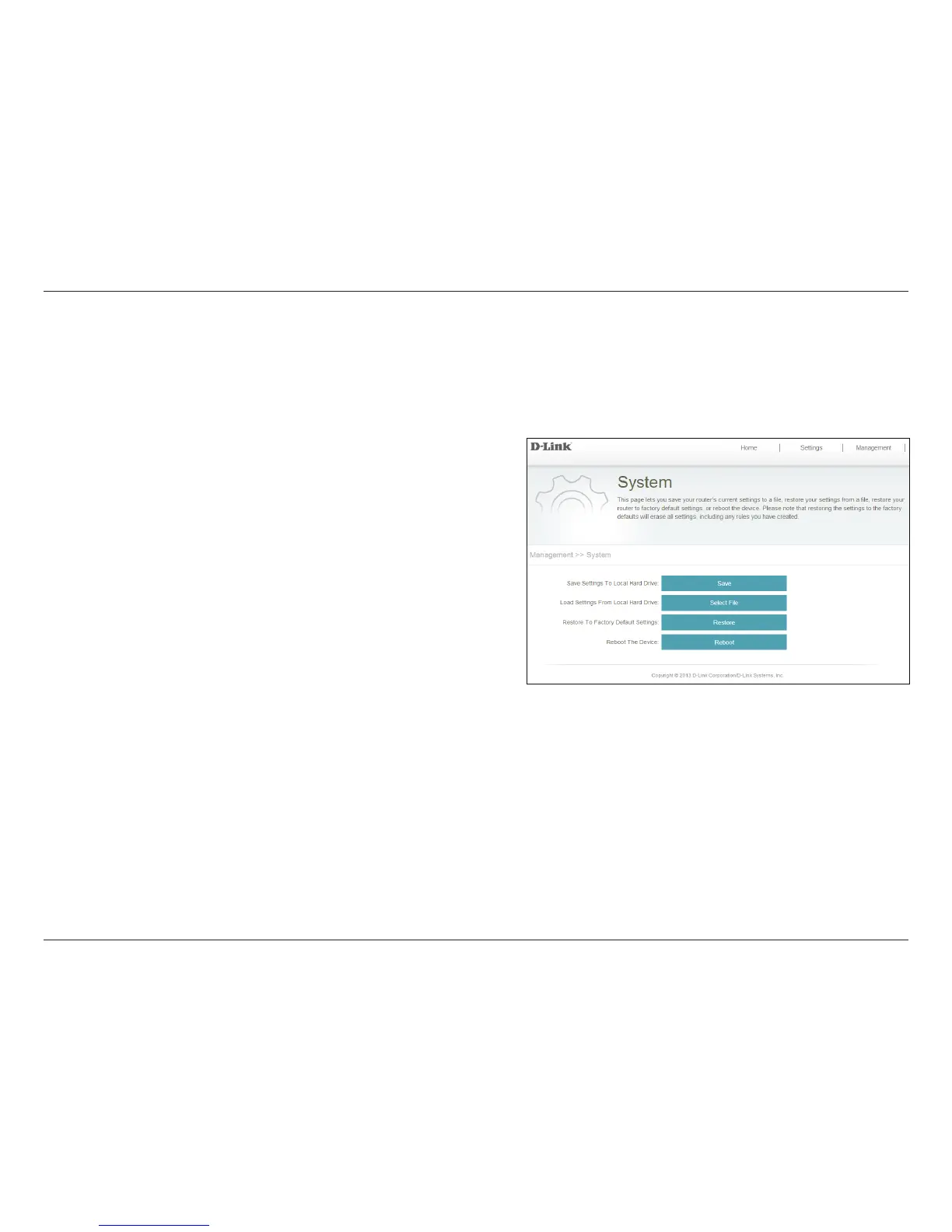
Click Save to save the current system settings to a le
on the local hard drive of your computer. A le dialog
will appear, allowing you to select a location and le
name for the settings.
Click Select File to locate and load previously saved
system settings from a le on the local hard drive.
Click Restore to reset the DCH-M225 to factory default
settings. This will erase all currently stored settings.
Click Reboot to reboot the DCH-M225.
Save Settings to
Local Hard Drive:
Load Settings from
Local Hard Drive:
Restore to Factory
Default Settings:
Reboot the Device:
System
This page allows you to save or restore the settings for your DCH-M225. You can also reset or reboot your device. To access this
page from the Home page, click on the Management drop-down menu at the top of the page, and select System.


 To Next Page