32D-Link DCH-M225 User Manual
Section 3 - Conguration
Upgrade Firmware
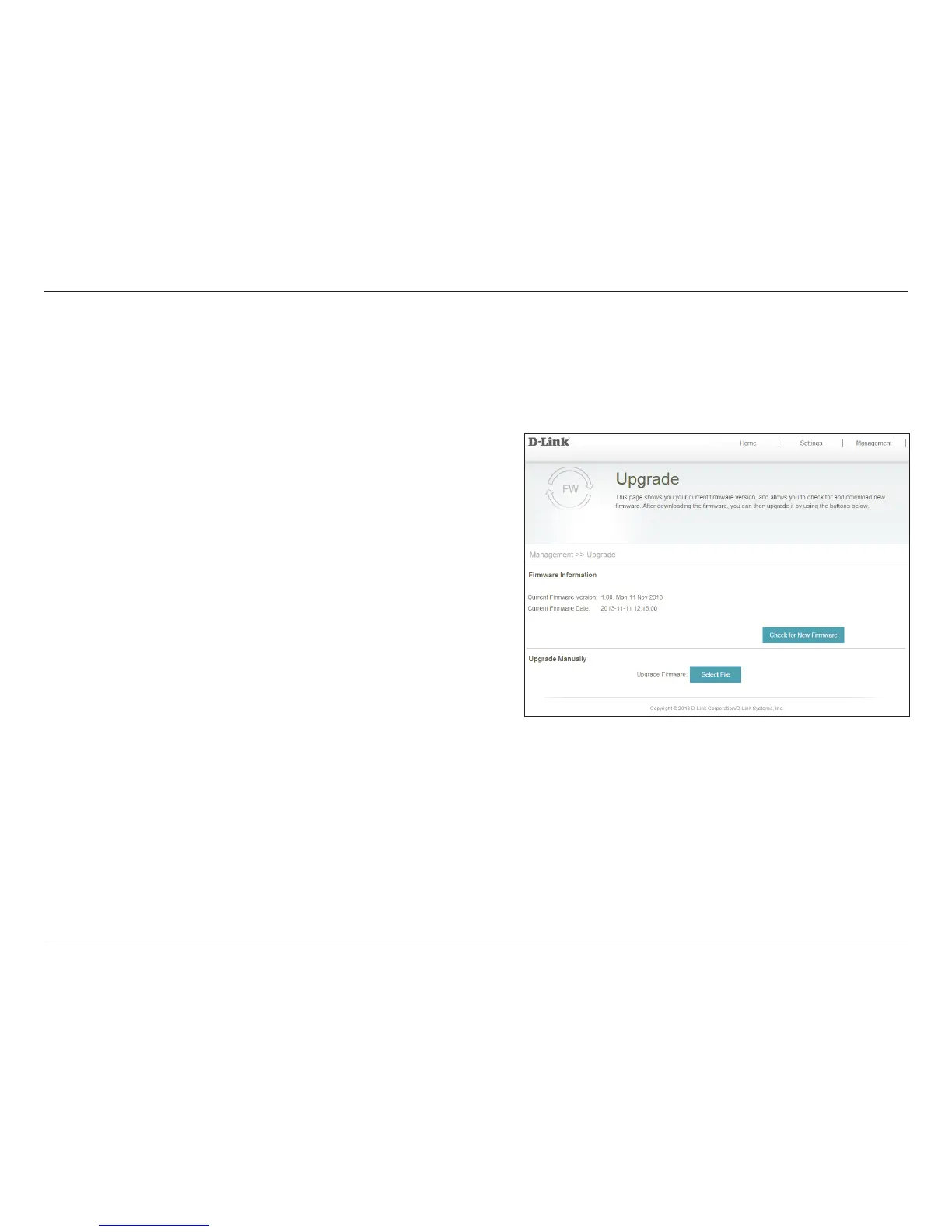
This section displays the Current Firmware Version, as well as
the date on which the current rmware version was released.
Click Check For New Firmware to nd out if there is updated
rmware. If you discover there is new rmware available, you
can download it to your computer.
Click Select File to locate the rmware le on your local hard
drive and perform a manual rmware upgrade.
Firmware
Information:
Check for New
Firmware:
Upgrade
Firmware:
You can check for and upgrade the rmware. To access this page from the Home page, click on the Management drop-down
menu at the top of the page and select Upgrade.


 To Next Page