10D-Link DCS-5000L User Manual
Section 1 - Product Overview
Hardware Overview
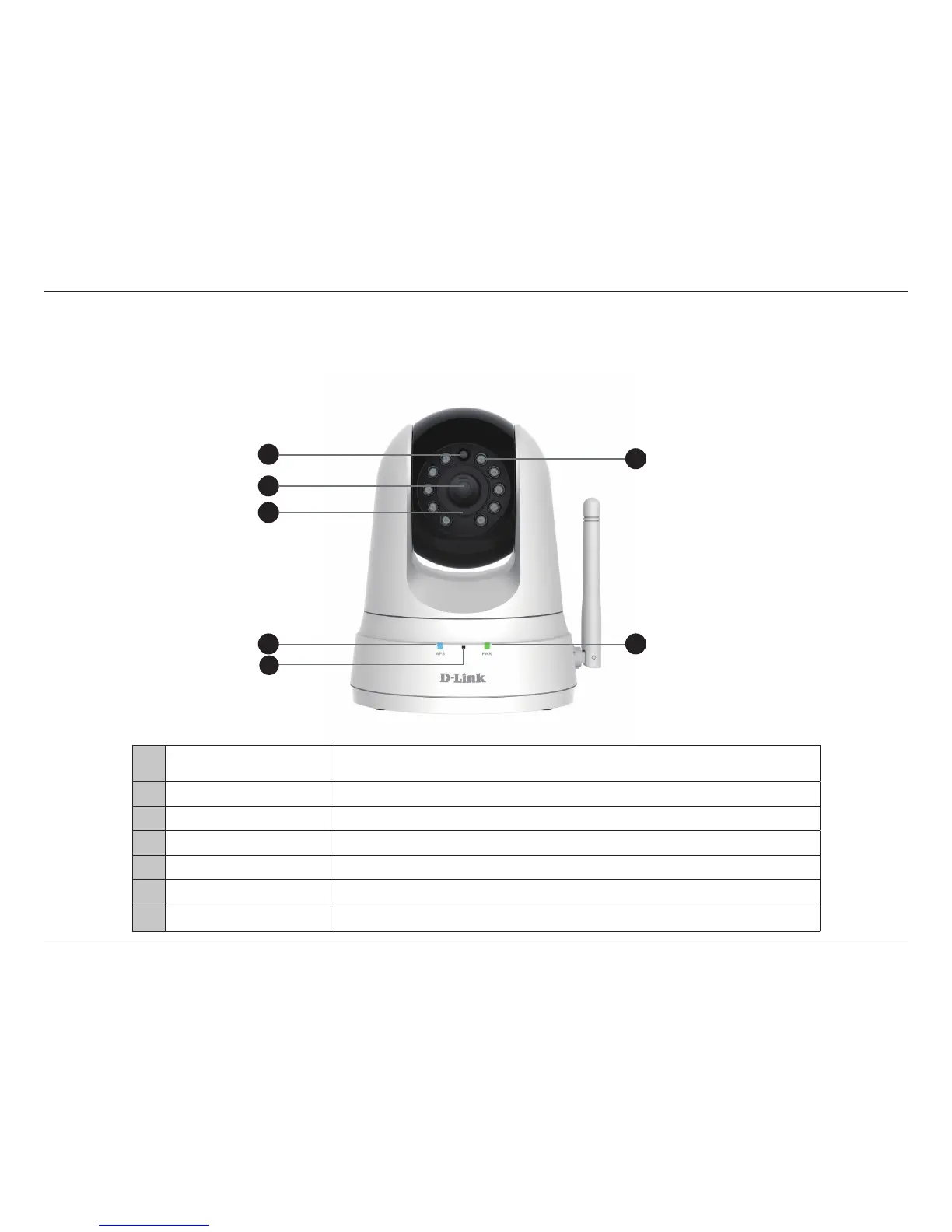
Front View
1 Light Sensor
The IR-Cut Removable sensor monitors lighting conditions and switches between
color and infrared accordingly.
2 Camera Lens
Records video of the surrounding area.
3 Manual Focus Bezel Manually adjust the focus of the lens for your required view.
4 WPS LED Indicates the WPS connection status of the camera.
5 Microphone Records audio from the surrounding area.
6 Infrared LEDs Illuminate the camera’s eld of view in low light environments.
7
Power and Link LED Indicates the camera’s current status.
4
5
1
2
3
6
7















 To Next Page