8D-Link DCS-5222L User Manual
Appendix AC - Technical Specications
Hardware Overview
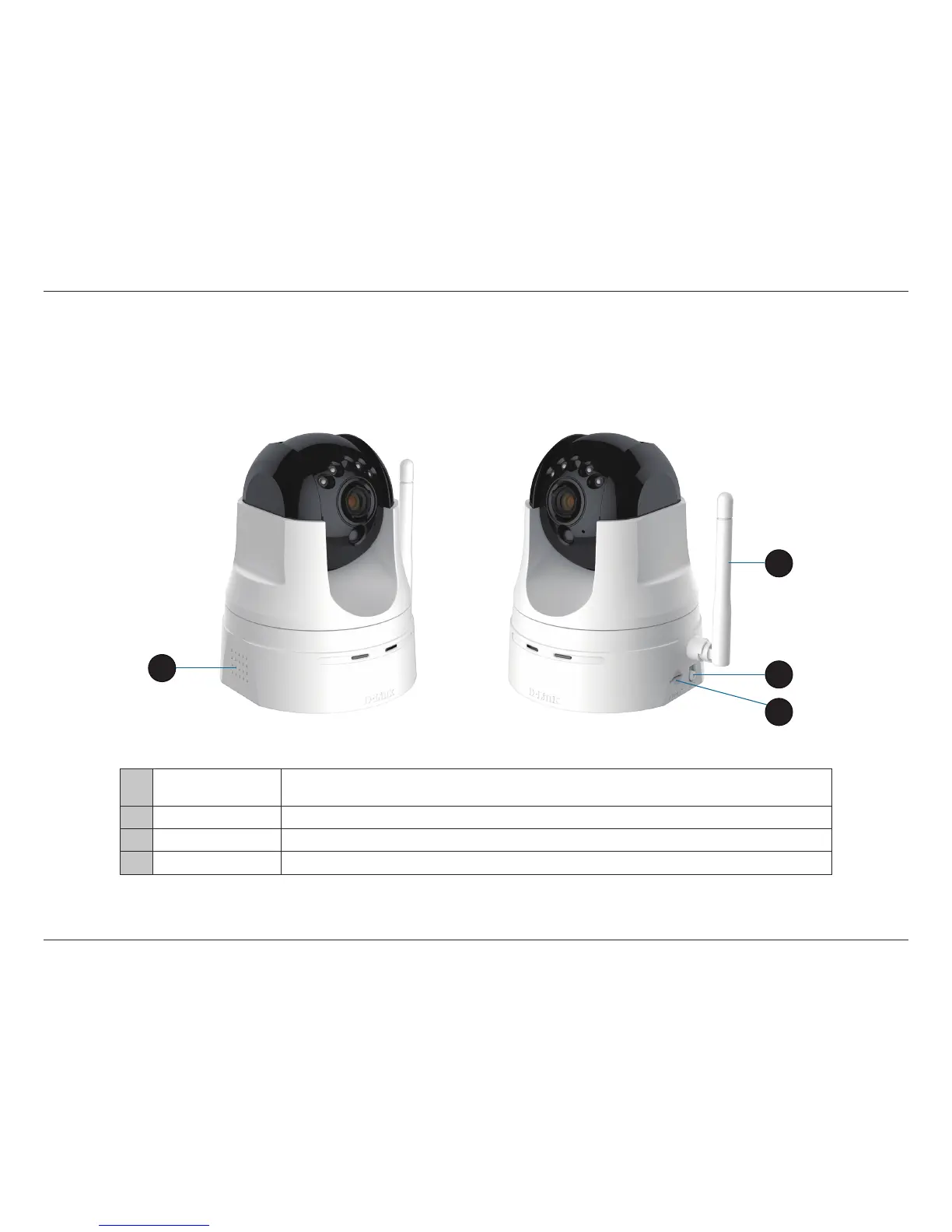
Left and Right Side
1 Built in Speaker
The speaker can be used in conjunction with the built-in microphone to enable the camera
to acts as an intercom.
2 Antenna The external antenna increases the device’s range of connectivity.
3 WPS Button Use WPS (Wi-Fi Protected Setup) to easily create a secure connection to your network.
4 microSD Slot Insert a microSD card to store recorded images and video.
1
2
3
4


 To Next Page