59D-Link DCS-5222L User Manual
Section 4 - Conguration
HTTPS
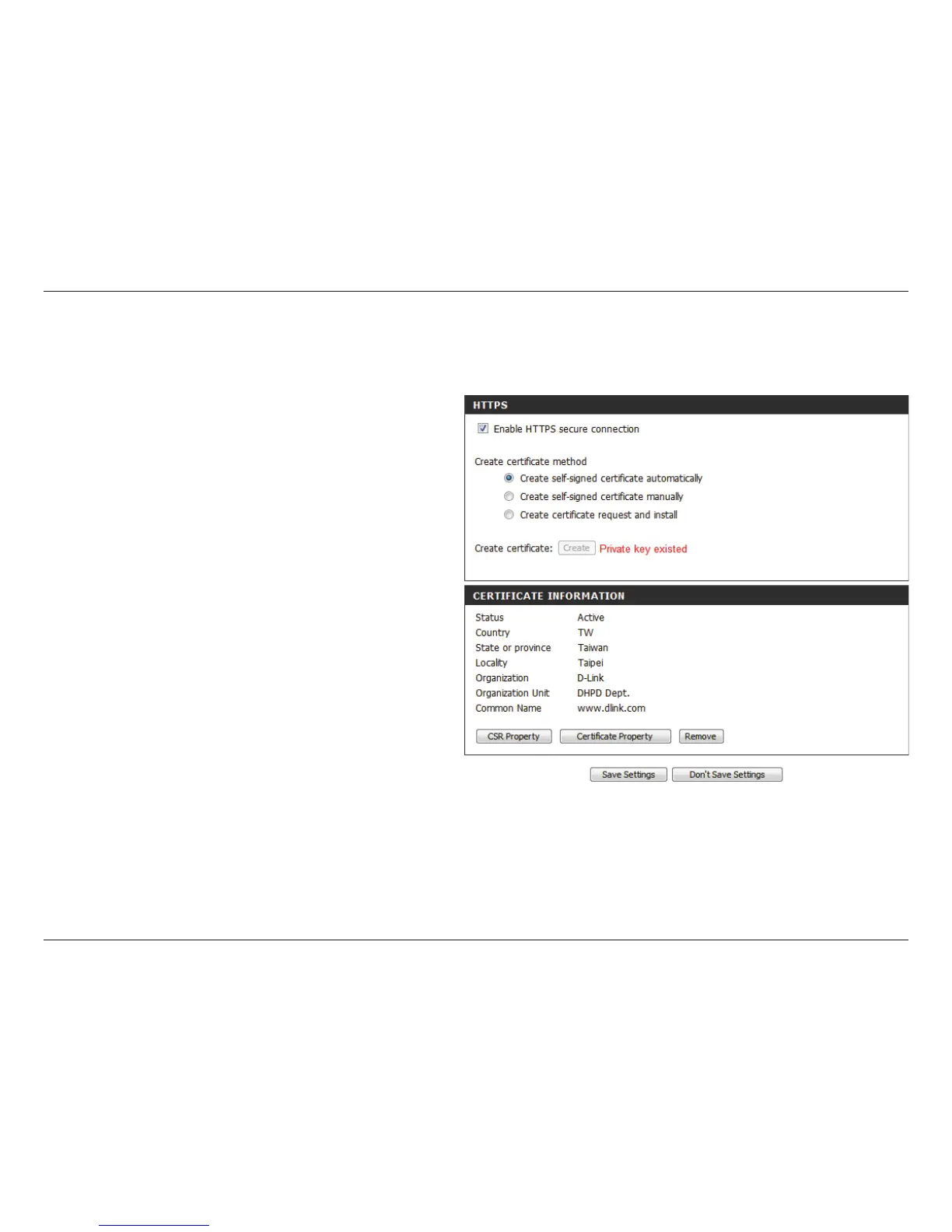
This page allows you to install and activate an HTTPS certicate for secure access to your camera. After making any changes, click the Save Settings
button to save your changes.
Enable HTTPS
Secure Connection:
Create Certicate
Method:
Status:
Note:
Enable the HTTPS service.
Choose the way the certicate should be cre-
ated. Three options are available:
Create a self-signed certicate automatically
Create a self-signed certicate manually
Create a certicate request and install
Displays the status of the certicate.
The certicate cannot be removed while the
HTTPS is still enabled. To remove the certicate,
you must rst uncheck Enable HTTPS secure
connection.


 To Next Page