17D-Link DIR-400 User Manual
Section 3 - Conguration
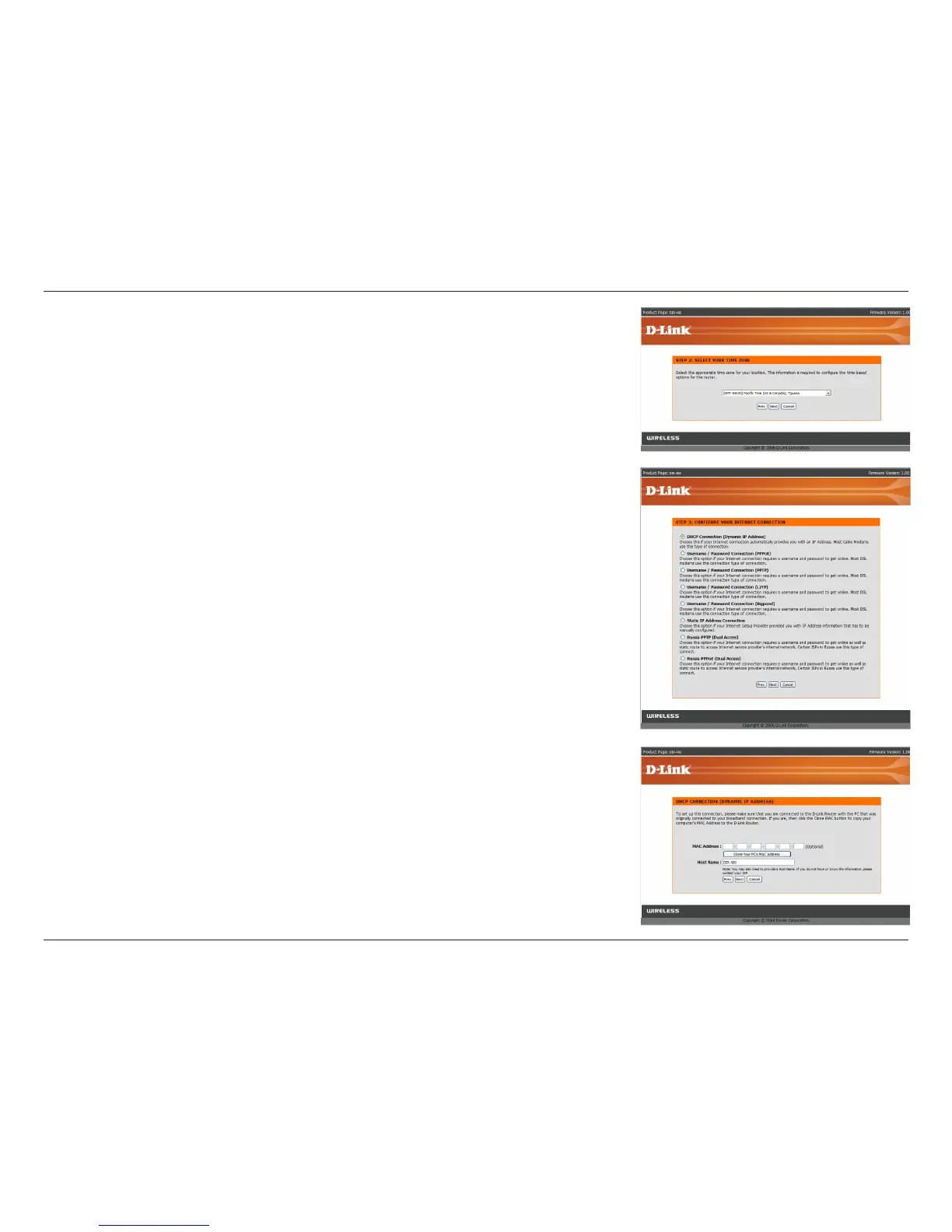
Select your time zone from the drop-down menu and then click Next
to continue.
Select the type of Internet connection you use and then click Next to
continue.
If you selected Dynamic IP Address, you may need to enter the MAC
address of the computer that was last connected directly to your modem.
If you are currently using that computer, click Clone Your PC’s MAC
Address and then click Next to continue.
The Host Name is optional but may be required by some ISPs. The default
host name is the device name of the router and may be changed.


 To Next Page