44D-Link DIR-400 User Manual
Section 3 - Conguration
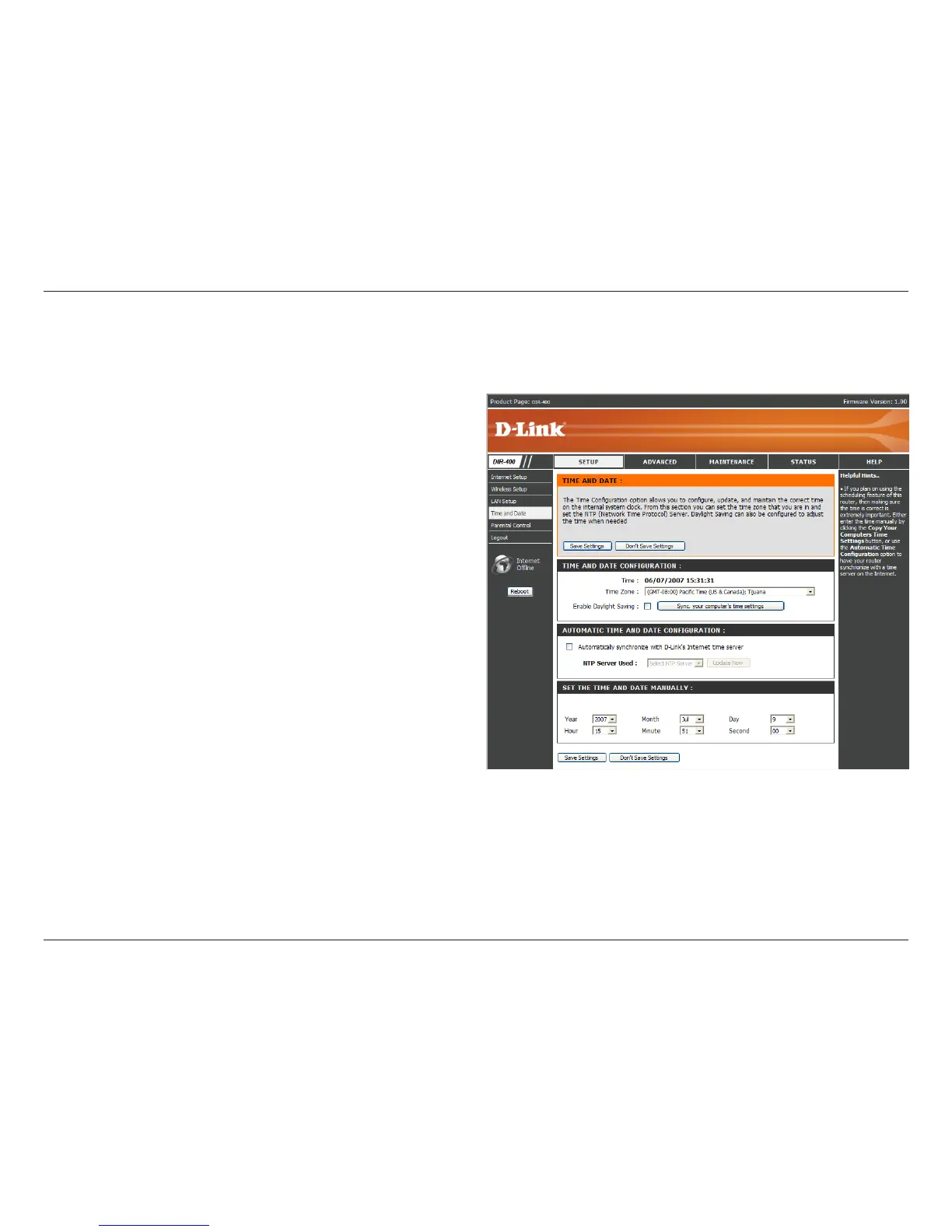
This section will allow you to congure, update, and maintain the correct time on the router’s internal system clock.
Time and Date
Select your Time Zone from the drop-down
menu.
Ticking this checkbox enables Daylight Saving
time. Click Sync. your computer’s time settings
to copy your PC’s time settings.
Tick the “Automatically synchronize with D-Link’s
Internet time server” checkbox and then use the
drop-down menu to select an NTP Server. NTP is
short for Network Time Protocol. NTP synchronizes
computer clock times in a network of computers.
To manually input the time, enter the values in
these elds for the Year, Month, Day, Hour, Minute,
and Second. Click Save Settings.
Time Zone:
Enable
Daylight
Saving:
NTP
Server
Used:
Manual:


 To Next Page