82D-Link DIR-400 User Manual
Section 8 - Conguring the IP Address in Vista
Configuring the IP Address in Vista
The following are step-by-step directions to congure the IP address in Windows Vista.
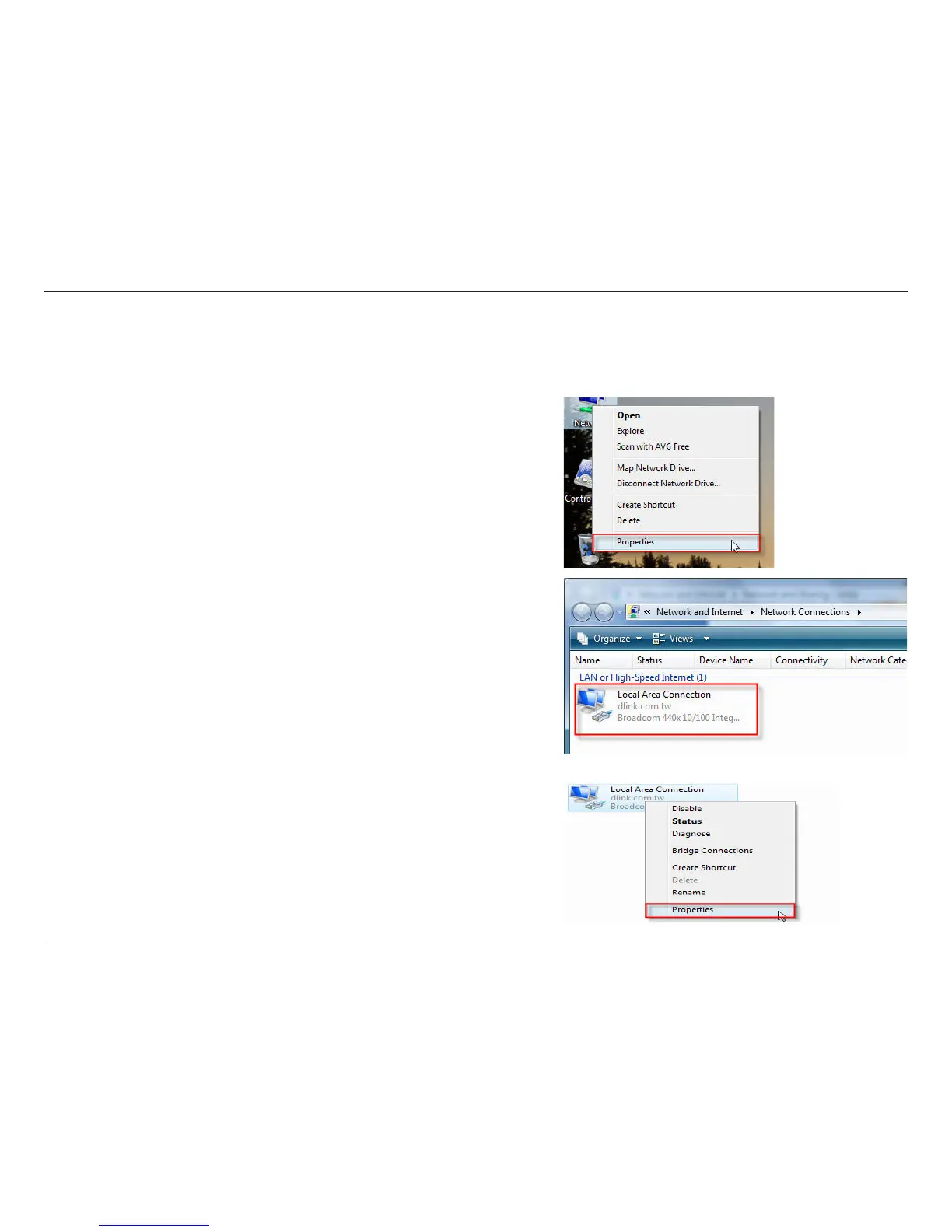
2. Go to the Network and Internet window and click the
appropriate Local Area Connection icon.
1. Right-click on Network and click on Properties.
3. Right-click the Local Area Connection icon and then select
Properties from the context menu.


 To Next Page