16
ALARM On/Off
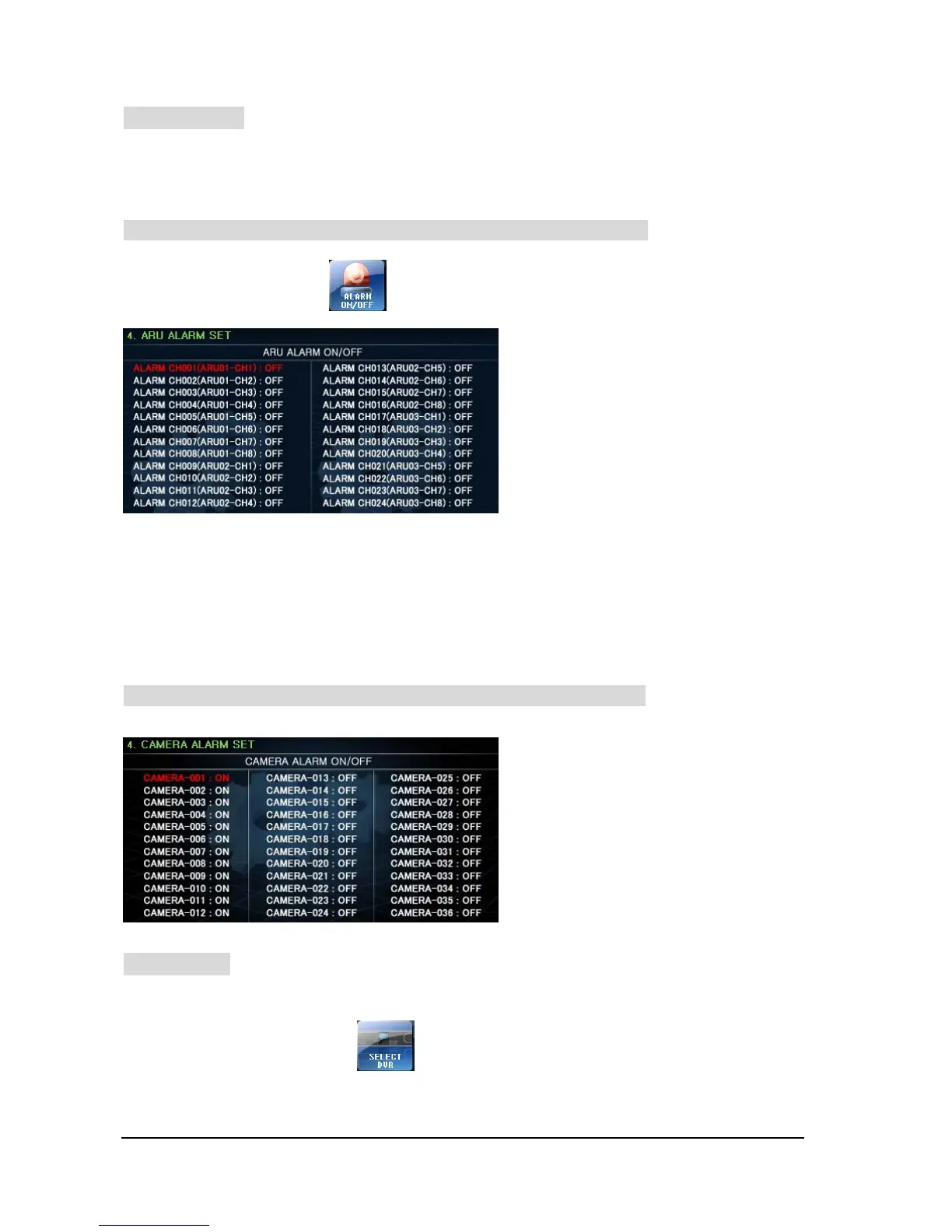
Select to use ARU (Alarm Receiver) which was connected with the Keyboard or Camera
Alarm function.
• In case “ALARM TYPE” is set as “ARU” on the “3. SET KEYBOARD”
① On SET-UP Menu, Press button on LCD Monitor, then will go into SET-UP mode.
② Press F/F button : After Save the set-up data and then move to Top Menu
Press F/N button : Escape set-up menu and then move to previous menu screen
③ After finish to set-up, press “SET” button. Then move out to “Control Mode” screen.
• In case Alarm type is set as ‘CAMERA” on the “3. SET KEYBOARD”
SELECT DVR
Set-Up DVR which is available to control.
① On SET-UP Menu, Press button, then will go into “SELECT DVE” mode.
• Maximum 512 Alarms can be set.
• Move to CAMERA NO. by moving Joystick
Up/ Down.
• Turning the Joystick head clockwise or
counterclockwise, set it to ‘ON’ or ‘OFF’.
- on: Enable
- off: Disable
• Up to 512 Alarms can be set.
• Select ALARM CH ON/OFF.



 To Next Page