
EasyManua.ls Logo

D3 DesignCore RVP-TDA3 Series - User Manual

D3 DesignCore RVP-TDA3 Series
34 pages
Print Icon
To Next Page IconTo Next Page
Loading...
DesignCore
TDA3x Product Family
Quick Start Guide
Document No. 00C-131
Version 1.1
Release Date: 1/17/2019

Table of Contents

Questions and Answers

  • M
    Mark NormanAug 5, 2025
    What to do if my D3 DesignCore RVP-TDA3 has no image?
    • M
      Michael HebertAug 5, 2025
      If your D3 Network Hardware displays no image, ensure the FAKRA camera connections are fully seated to both the cameras and the RVP-TDA3x. Also, check that the HDMI connection to the display is properly connected, the display power is on, and the lens cap has been removed.
  • A
    Aaron HoldenAug 15, 2025
    How to fix a D3 DesignCore RVP-TDA3 Network Hardware that won't boot?
    • C
      Cheyenne HarrisAug 16, 2025
      To troubleshoot a D3 Network Hardware that won't boot, verify that the power polarity is correct. Also, ensure the Micro USB Serial cable is properly plugged into both the PC and the TDA3x system, the SD Card is fully seated in the slot, the SD Card contains the correct contents, and the PC is powered on.
  • A
    Allison WatkinsAug 26, 2025
    What to do if nothing is visible in the serial terminal for D3 DesignCore RVP-TDA3 Network Hardware?
    • Y
      yscottAug 27, 2025
      If nothing is visible in the serial terminal for your D3 Network Hardware, verify that the correct drivers have been installed. Also, ensure that Tera Term is running, you have selected the correct COM Port in Tera Term, and the Micro USB Serial cable is properly plugged into the PC and the TDA3x system.

Summary

Introduction to D3 Engineering Kits

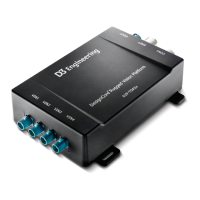
About the DesignCore RVP-TDA3 x ADAS Development Kit

Overview of the RVP-TDA3x ADAS Development Kit, its purpose, and its automotive/transportation focus.

Development Kit Use Cases

Single-Camera Capture & SurroundView Applications

Lists Development Kits supporting single-camera capture and SurroundView applications.

HDMI Capture & Display Functionality

Identifies Development Kits compatible with HDMI capture and display functionality.

Development Kit Feature Comparison

Module Images for Each Development Kit

RVP-TDA3 x ADAS Development Kit Components

RVP-TDA3 x ADAS Development Kit: Key Parts Identification

Getting Acquainted with the RVP-TDA3 x ADAS Development Kit

Initial System Setup Procedures

ISS Single-Camera Capture & Display Setup Guide

Step-by-step guide for setting up TDA3x/DM50x kits for ISS Single-Camera Capture and Display.

SurroundView System Setup Guide

HDMI Capture & Display Setup for Starter Kits

PC Configuration for Serial Console Access

Windows PC Serial Console Configuration

Instructions for configuring Windows PCs with Tera Term for serial console access.

Linux PC Serial Console Configuration

Instructions for configuring Linux PCs with Minicom for serial console access.

Running Your First Demonstration

ISS Single Camera Capture Use Case Walkthrough

SurroundView Use Case and Calibration Procedure

HDMI Capture Use Case Walkthrough

Troubleshooting Common Development Kit Issues

Reference Documentation and Further Resources

D3 DesignCore RVP-TDA3 Series Specifications

General IconGeneral
BrandD3
ModelDesignCore RVP-TDA3 Series
CategoryNetwork Hardware
LanguageEnglish