Table of Figures
Figure 1. Images of key parts in RVP-TDA3x ADAS Development Kit ........................................................... 9
Figure 2. RVP-TDA3x ADAS Development Kit with parts labeled ............................................................... 10
Figure 3. Windows Tera Term Serial Port selection .................................................................................... 22
Figure 4. Windows Tera Term Serial Port setup ......................................................................................... 23
Figure 5. Linux Serial Port configuration ..................................................................................................... 23
Figure 6. GtkTerm Serial Port Configuration ............................................................................................... 24
Figure 7. SD Card Contents ......................................................................................................................... 25
Figure 8. Serial Console output menu ......................................................................................................... 26
Table of Tables
Table 1. Kit Name and Kit Features ............................................................................................................... 5
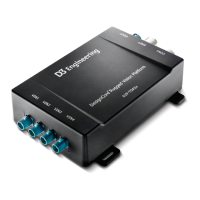
Table 2. Kit Name and Overview Image of Each Kit Module ........................................................................ 7
Table 3. RVP-TDA3x ADAS Development Kit contents .................................................................................. 8
Table 4. Joining the Cameras to the VIN Connections ................................................................................ 14
Table 5. Full Menu Input Sequence for ISS Use Case with Logo ................................................................. 28
Table 6. Full Menu Input Sequence for ISS Use Case without Logo ........................................................... 28
Table 7. Full Menu Input Sequence for SurroundView Use Case ............................................................... 31
Table 8. Full Menu Input Sequence for HDMI Capture Use Case ............................................................... 32
Table 9. Common Problems and Possible Solutions ................................................................................... 33
© Copyright 2018. D3 Engineering. All rights reserved.


 To Next Page
 Loading...