12
Screen Adjustment
For Screens Without A Built-In Low Voltage Control
NOTE: Use a screwdriver or 5/32" Allen wrench to make
adjustments.
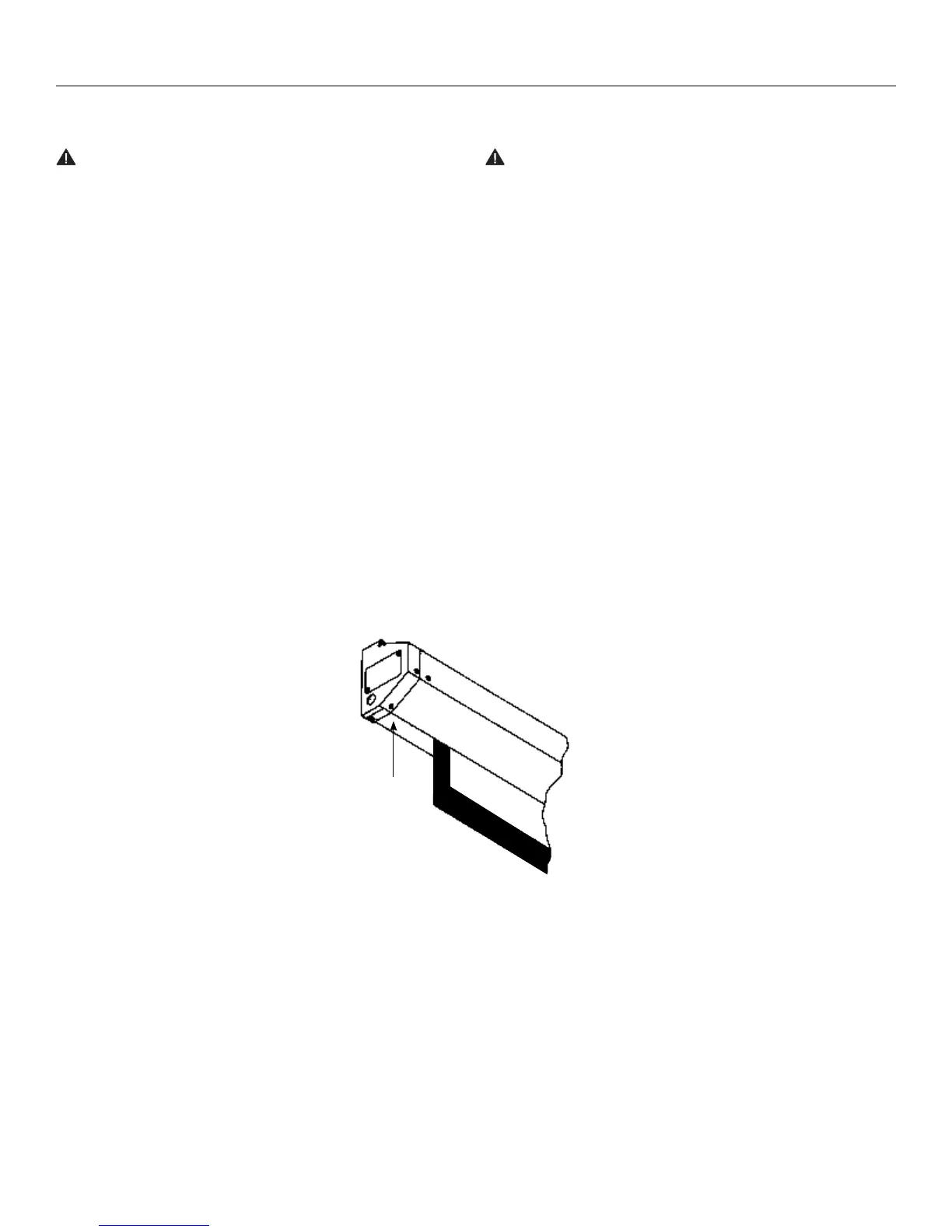
SETTING THE DOWN LIMIT POSITION
To Reduce Screen Drop: Turn the white limit switch screw
clockwise to decrease the amount of screen drop. Run the
screen down to test the stop position. If the screen drops too far,
raise the screen about one foot and adjust the limit switch again.
Repeat until the desired position is set.
Surface travel is stopped automatically in the fully opened and closed positions by limit switches that are properly adjusted at Da-Lite.
Should it be necessary to adjust for more or less picture drop (viewing area), proceed in the following manner:
CAUTION: Do not adjust for more drop than what was
ordered. At least 11/2 wraps of fabric must remain on
the roller. This screen comes standard with 0" or 2" black
at the top. See the speciication data sheet for details.
ATTENTION! N'efectuez pas de réglage pour obtenir un
déroulement supérieur à celui commandé. Au moins 1 à 1/2
tour de toile doit être maintenu sur le cylindre. Cet écran
est doté de série d'une bande noire supérieure de 0 cm (0
po) ou 5 cm (2 po). Consultez la iche technique pour plus
de renseignements.
To Increase Screen Drop: Turn the white limit switch screw
counterclockwise to increase the amount of screen drop. Run the
screen down to test the stop position. If the screen does not
drop enough, raise the screen about one foot and adjust the limit
switch again. Repeat until the desired position is set. Do not
adjust for more drop than what was ordered. At least 11/2 wraps
of fabric must remain on the roller.
Down
White Limit
Switch
Adjustment






 To Next Page