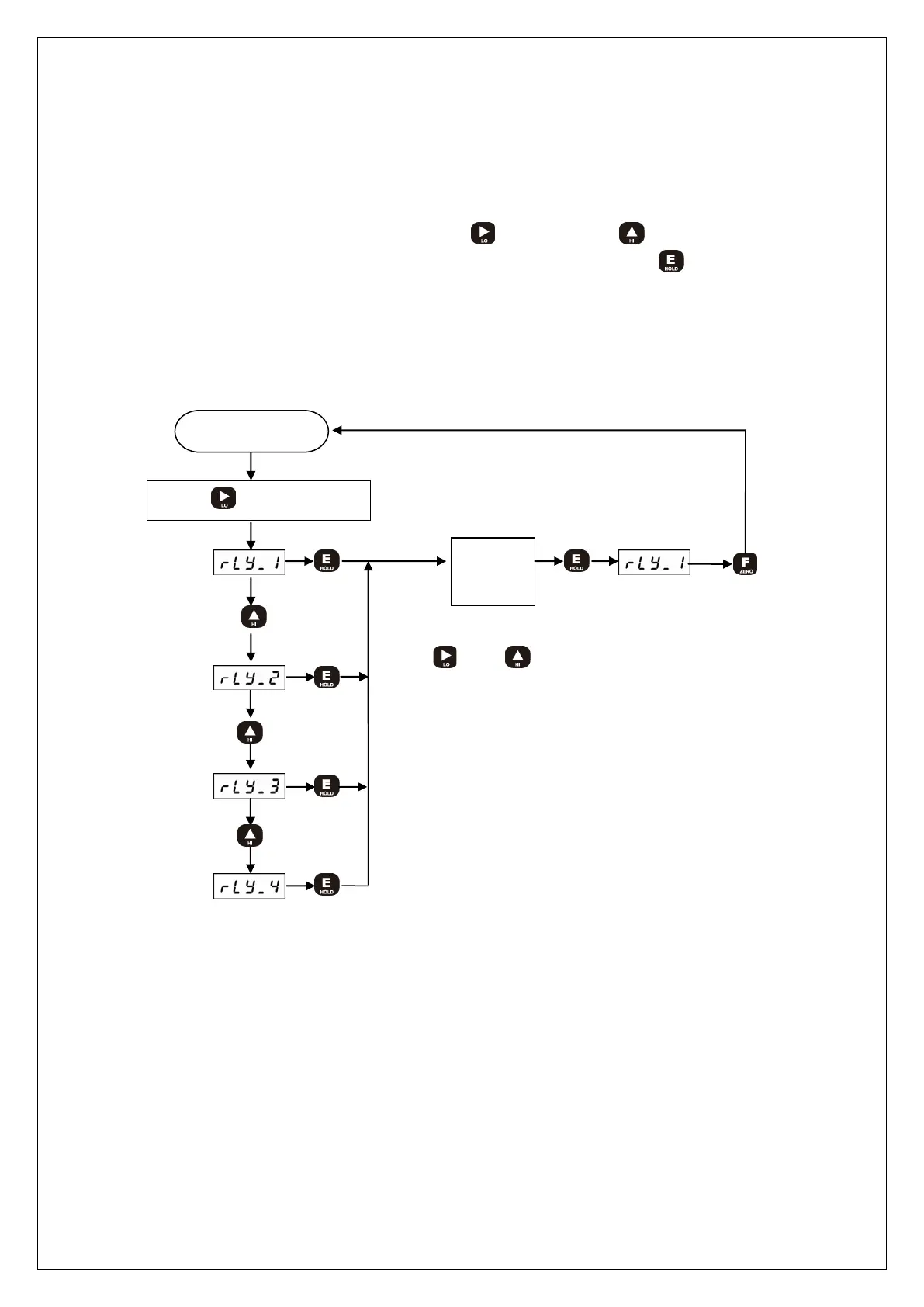
3) How to set RELAY data
① Decision mode (F-20 Decision mode: mode: 0)
In the measuring mode, press the front key(RY1) or key(RY3) to display the
currently set value, change it to the desired value, and press the key to save it.
② Limit mode (F-20 comparison mode : 1 ~ 2)
※ For DN-70,80 models, you can change the settings of the three Relays (RY1, RY2,
RY3).
Measuring mode
Press key
Input
value
When set the value, the key operation is
and key. (refer to page6 Front
Panel)



 To Next Page