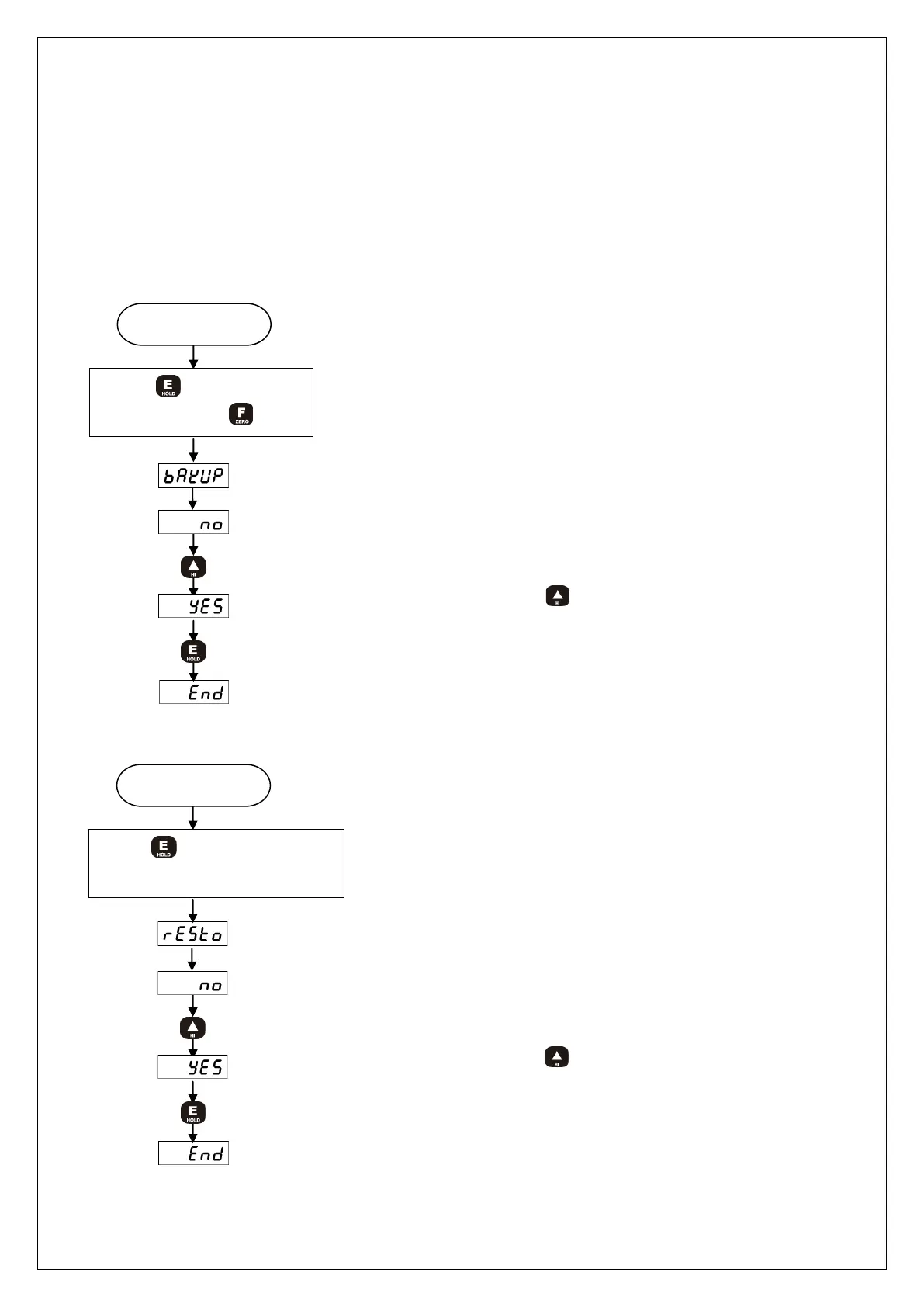
8-5. DATA BACK-UP & RESTORE
You can save all the set-up values of the device and then restore them to the current
set-up state as per your need.
◦ DATA BACK-UP : Save the current set-up state.
◦ RESTORE : Restore the current set-up state
Measuring mode
While
pressed, Press key
After 1 sec for display,
Display
Please select YES or NO by using key.
YES : SAVE DATA. NO : Do not save DATA.
1) DATA BACK-UP
Power is off
While key is being
pressed, turn the power on
After 1 sec for display
Display
Please select YES or NO by using key.
YES : Restore DATA . NO : Do not restore DATA
2) RESTORE



 To Next Page