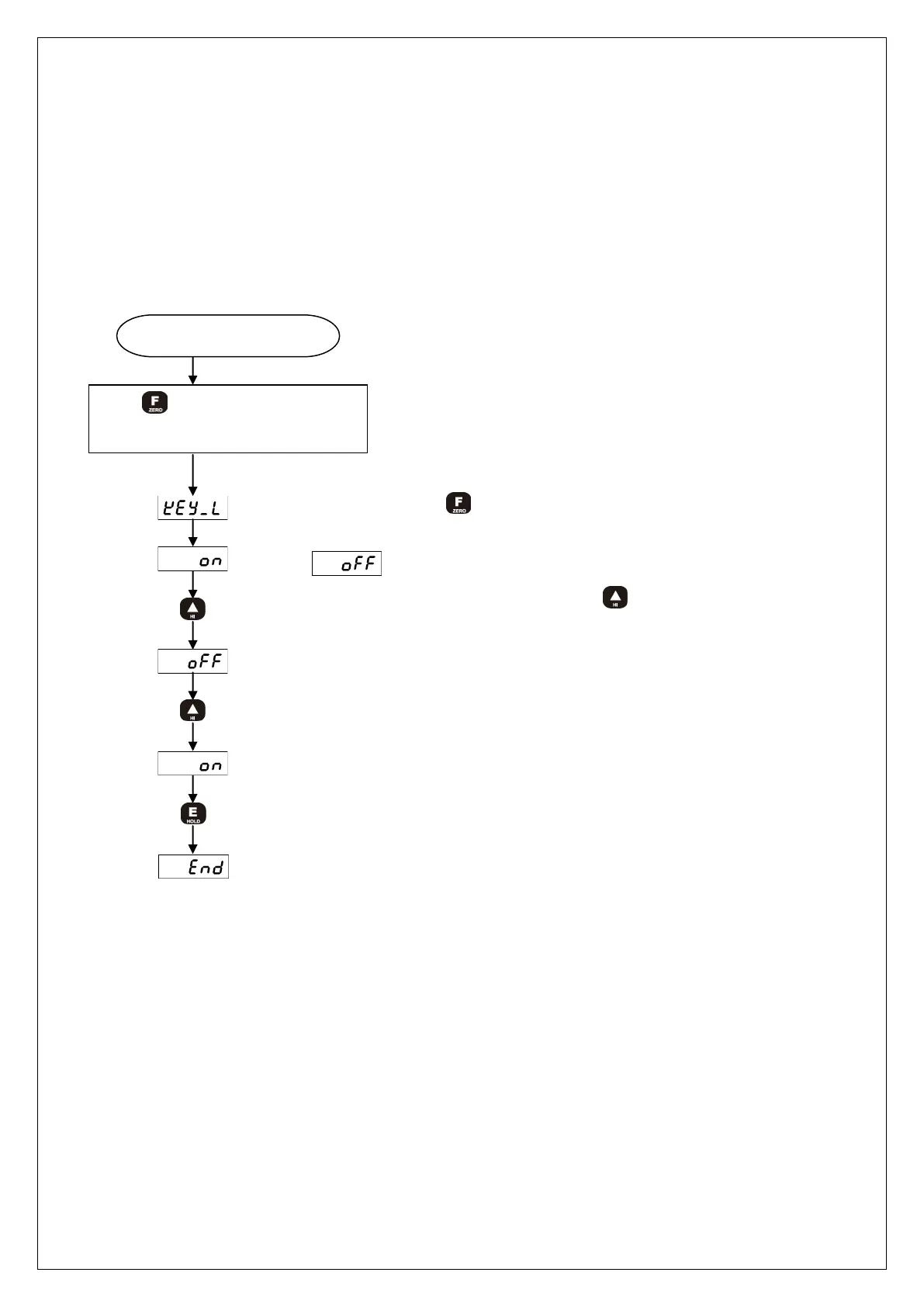
You can prevent any accidental operation due to the unnecessary key control by Lock
set-up. After finishing calibration, it is recommended to set the Lock.
At the first stage, please start while the power is OFF.
Related Function when Lock is set : Function related to calibration.
Power is OFF
While key is being pressed,
please turn the power ON.
Please keep pressing key while this is being displayed.
or display
Set-up is completed.
Please select lock or release by pressing key.
ON : Lock is selected, Off : Lock release is selected.



 To Next Page