4–74 CLIMATE CONTROL AND AUDIO SYSTEM
CD CHANGER MODE
An optional CD changer can be used
with the radio. All the functions de-
scribed in this chapter relate to the
Blaupunkt CD changer CDC-A08.
Inserting a CD
The CDC A-08 CD changer is located
in the car boot. Follow the instructions
below for inserting and changing CDs.
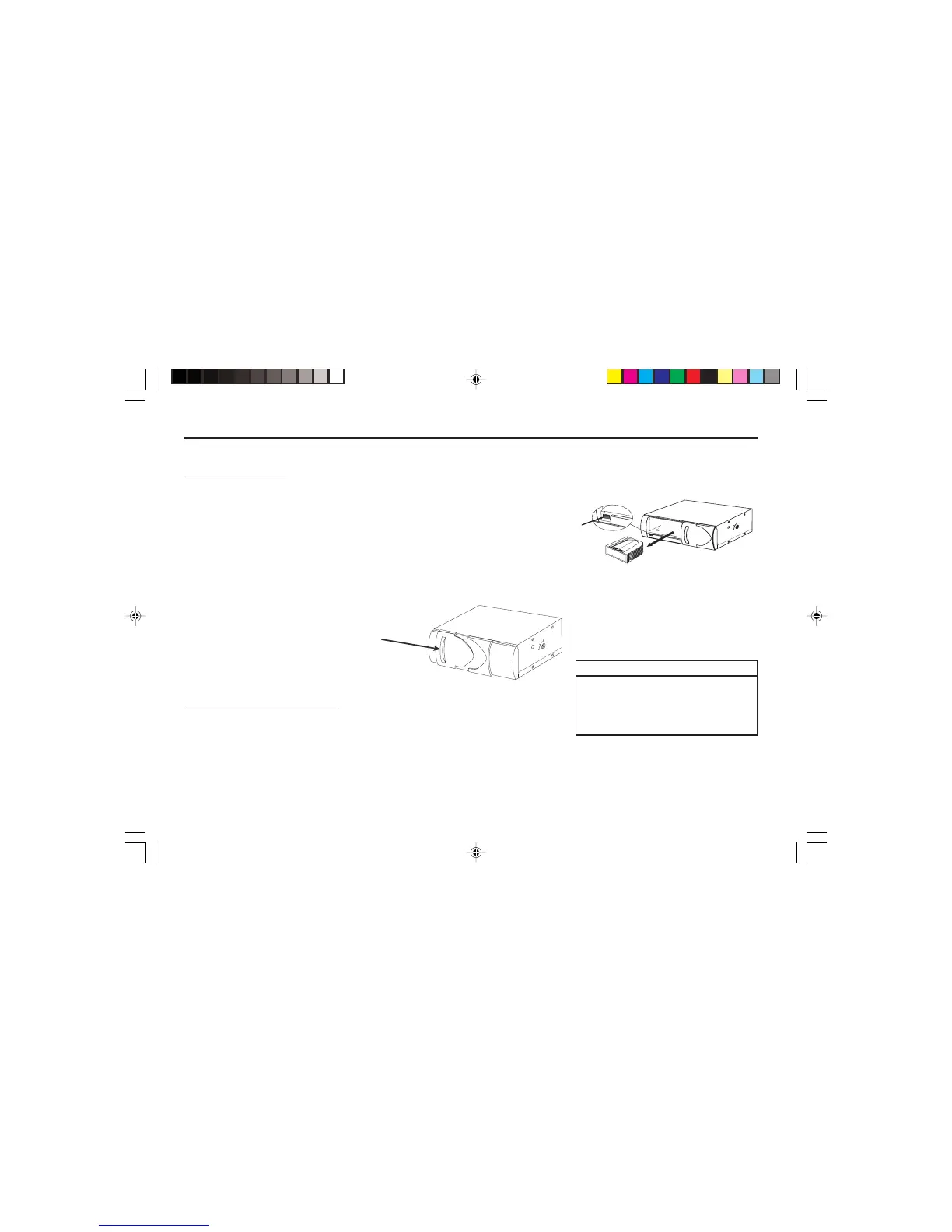
1. Opening the CD Changer:
2. Removing the CD magazine:
E
JE
C
T
EJECT
S3W4146A
½ Press the eject button appearing with
a grey background in the zoomed
section of the diagram. The CD
magazine is ejected.
Changing the display
To switch between the track number
display and the track number / playing
time display,
½ press the MENU button (7).
½ Keep pressing the V or T
button (5)
until “CD DISP” appears in the dis-
play.
½ Press the H button (5).
The current setting is displayed.
“TIME” for the playing time display
and “PLAY” for the track number dis-
play.
½ Press the
G button (5) to select the re-
quired setting.
½ Press the MENU button (7) twice.
Removing the CD from the unit
To remove the CD from the unit,
½ keep the SRC
c
button (6)
pressed unit the CD is ejected.
½ Open the CD changer door by slid-
ing the door in the direction of the
arrow.
NOTE
In order to avoid damaging the eject
mechanism, never hinder or assist the
CD magazine whilst it is being
ejected.
S3W4145A
S3W4146A


 To Next Page