72
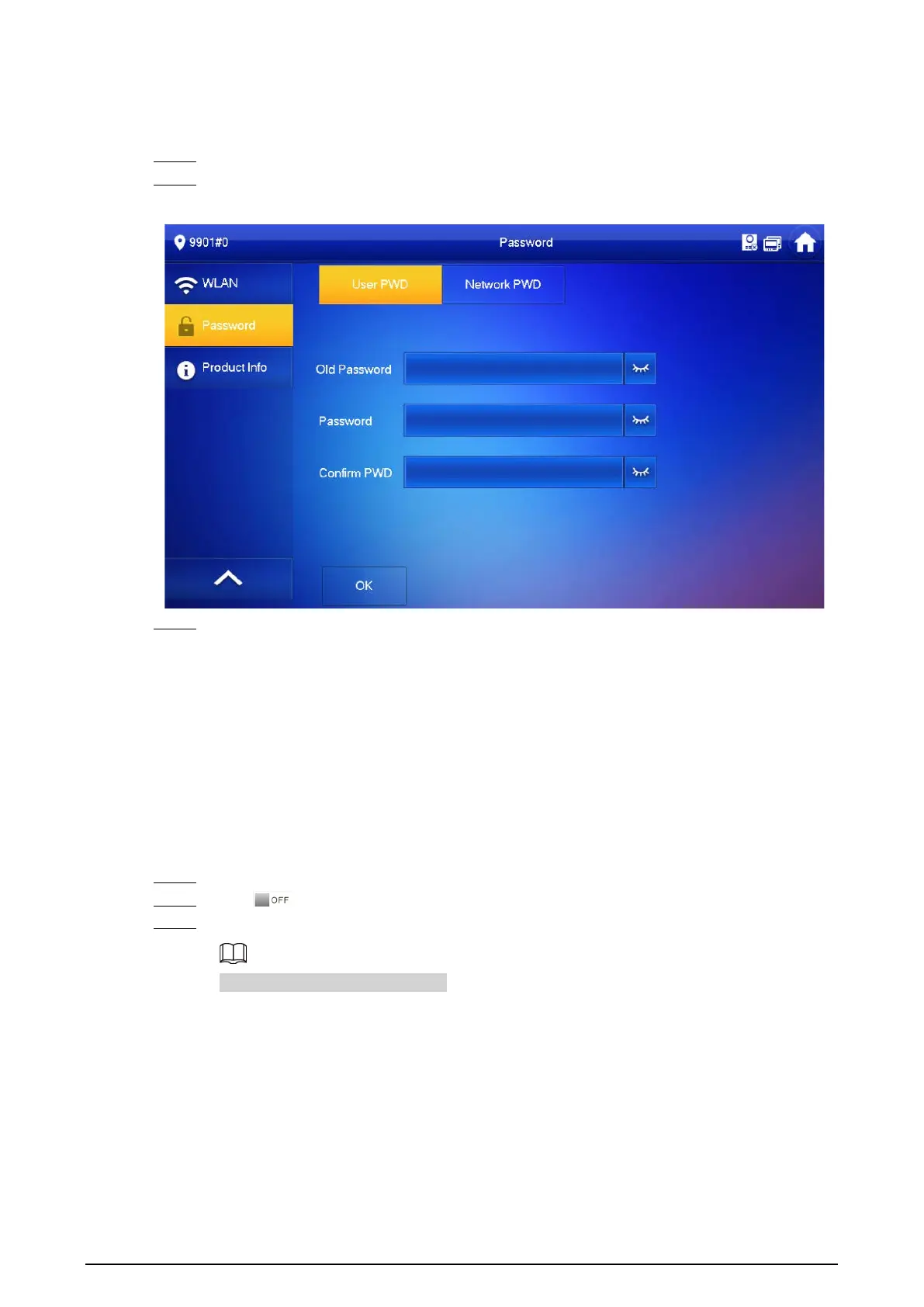
revise your user password based on your needs. The default password is 123456.
Procedure
Step 1 On the home screen, select
Setting
>
Password
>
User PWD
.
Step 2 Enter the old password, new password and conform it.
Figure 3-44 Change user password
Step 3 Tap
OK
to save the configuration.
3.6.9 Network Password Setting
The network password is used when adding the VTH to the DMSS app.
3.6.9.1 Creating Network Password
The network password is used to add the VTH to the DMSS app.
Procedure
Step 1 On the home screen, select
Setting
>
Password
>
Network PWD
.
Step 2 Tap to enable the cloud function.
Step 3 Create a user account and then enter the password you planned and then confirm it.
The
Username
is
user
by default.



 To Next Page
 Loading...