10
Installation
Installation
Installation
Work
3
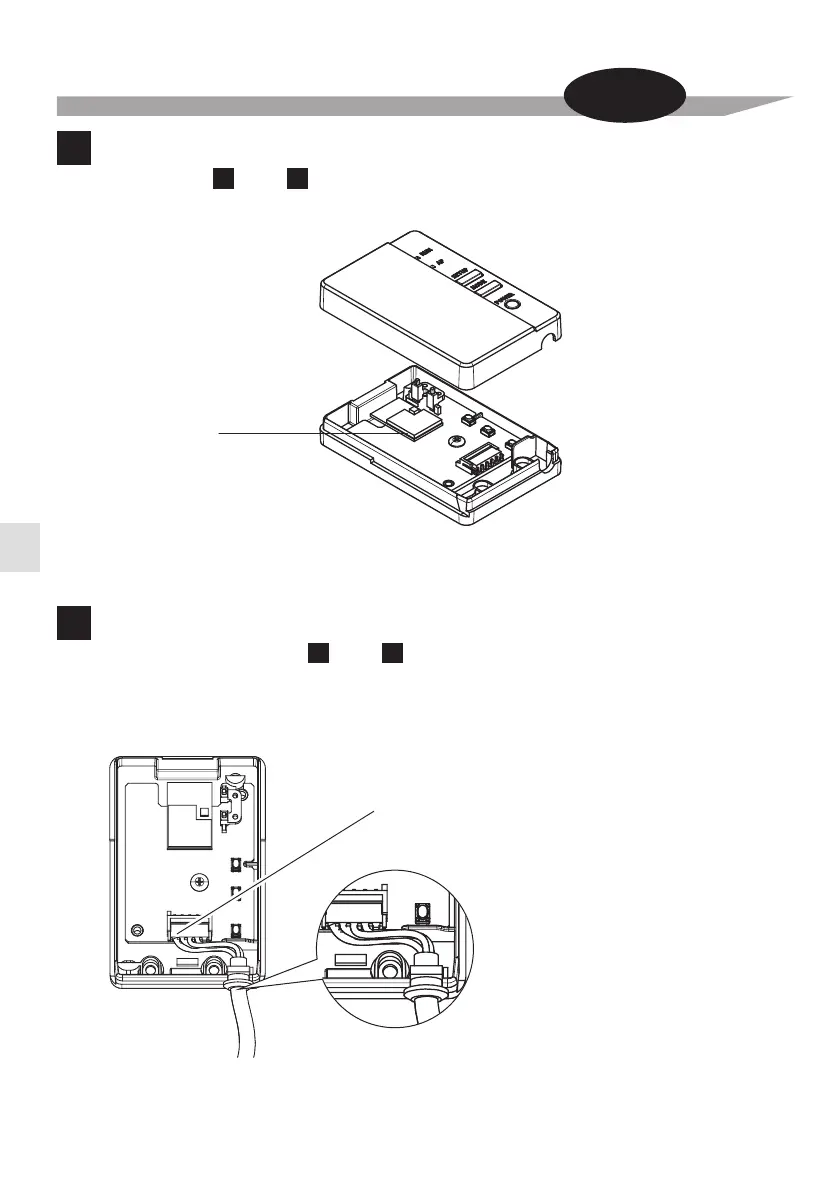
Remove the Wireless LAN connecting adapter case (upper).
Remove the upper case of the Wireless LAN connecting adapter.
Wireless LAN
connecting adapter
printed circuit board
Wireless LAN connecting
adapter case (upper)
Wireless LAN connecting
adapter case (lower)
(For both and .)
A B
Attach wire harness assembly to the Wireless LAN connecting
4
Attach the
wire harness assembly
connector (white).
•
Fasten the wire harness assembly to the notch in the Wireless LAN connecting adapter case (lower).
Connect the connector to the same color.
Fasten the
wire harness assembly
and ensure that external force is not transmitted.
Connector (white)
adapter. (For both and .)
A B



 To Next Page