1515
Configuration
Configuration
Wireless Connection
Setting Section
The setup is simple if there is a [WPS] button on the router (Wireless LAN access point).
Simple Wireless Connection Setting
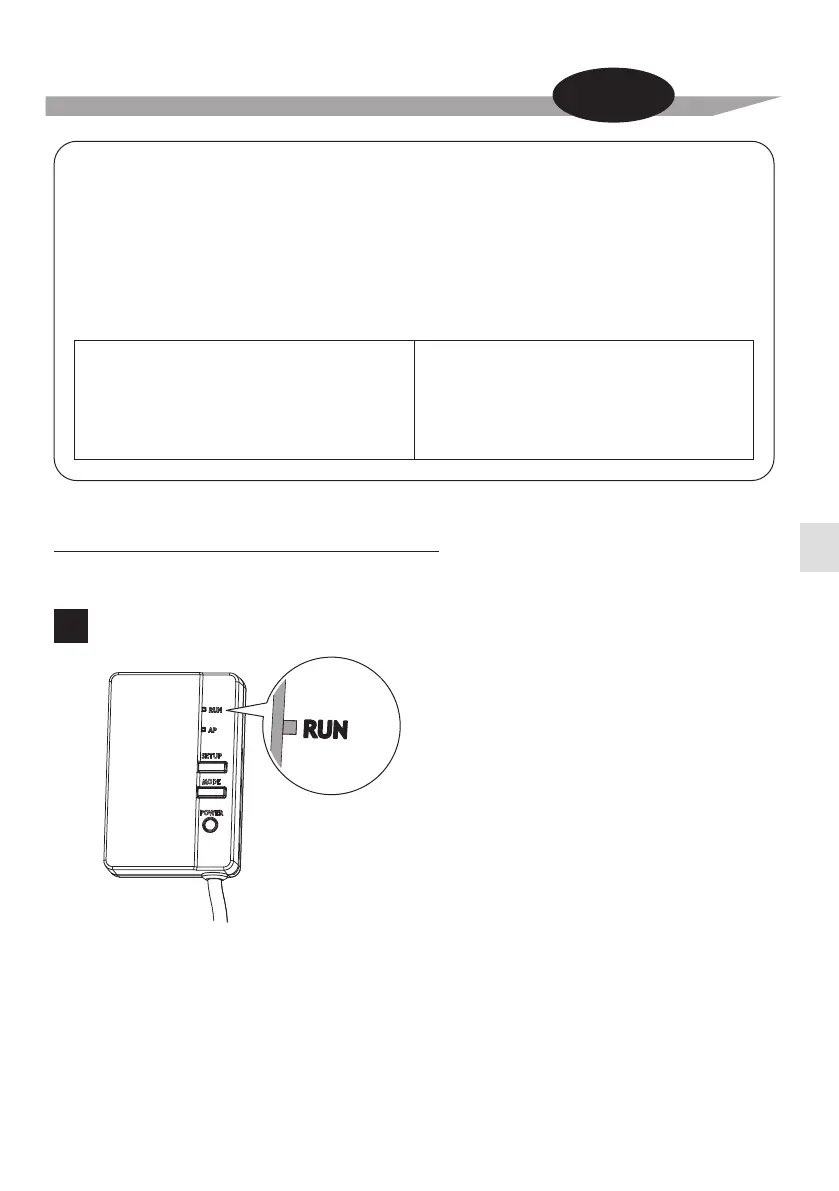
Check that the [RUN] lamp is blinking.
1
The customer is responsible for providing the following.
□ Smartphone or tablet PC
(Supported OS: Android 2.3.3 or later; iOS 5.0 or later.)
□ Internet line and communicating device
(Modem/router or similar device)
□ Wireless LAN access point
□ Application name: [DAIKIN Mobile Controller] (free)
Installation method for the DAIKIN Mobile Controller application
For Android Phones
(1) Open the [Google Play].
(2) Search using the application name:
[DAIKIN Mobile Controller].
(3)
Follow the directions on the screen to install.
For iPhones
(1) Open the [App Store].
(2) Search using the application name:
[DAIKIN Mobile Controller].
(3)
Follow the directions on the screen to install.



 To Next Page