17
Troubleshooting
Troubleshooting
The following table provides brief descriptions of how to handle trouble or uncertainties
when you install the Wireless LAN connecting adapter or make connection settings.
Refer to the FAQ on our website for more details.
When this happens Explanation and where to check
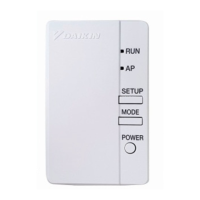
None of the LEDs light.
•
Try to operate the unit with the infrared remote controller.
•
Turn off the air conditioner and restart it.
•
Make sure the LEDs are not disabled in the application.
•
Check the installation.
•
Check that the power of the Wireless LAN connecting
The Wireless LAN connecting adapter
is not visible on the unit overview screen
(“Home” screen) after the Wireless LAN
connecting adapter has been configured.
enough to the router (Wireless LAN access point).
•
Check that the power is on.
•
Check that the [RUN] lamp is lit.
LAN connecting adapter to the Wireless network.
Make sure the Wireless LAN connecting adapter is close
•
If the [RUN] lamp is lit, make sure that the smartphone or
tablet is connected to the same Wireless LAN network as
•
If the [RUN] lamp is blinking, retry to connect the Wireless
the Wireless LAN connecting adapter.
For instructions about how to operate the DAIKIN
Mobile Controller application, please refer to
the operation manual at
http://www.daikinthai.com/product/dmobile.
adapter is ON by pressing the [POWER] button on
the adapter.
None of the above work.
•
Refer to the FAQ on:
http://www.daikinthai.com/product/dmobile



 To Next Page