3-28
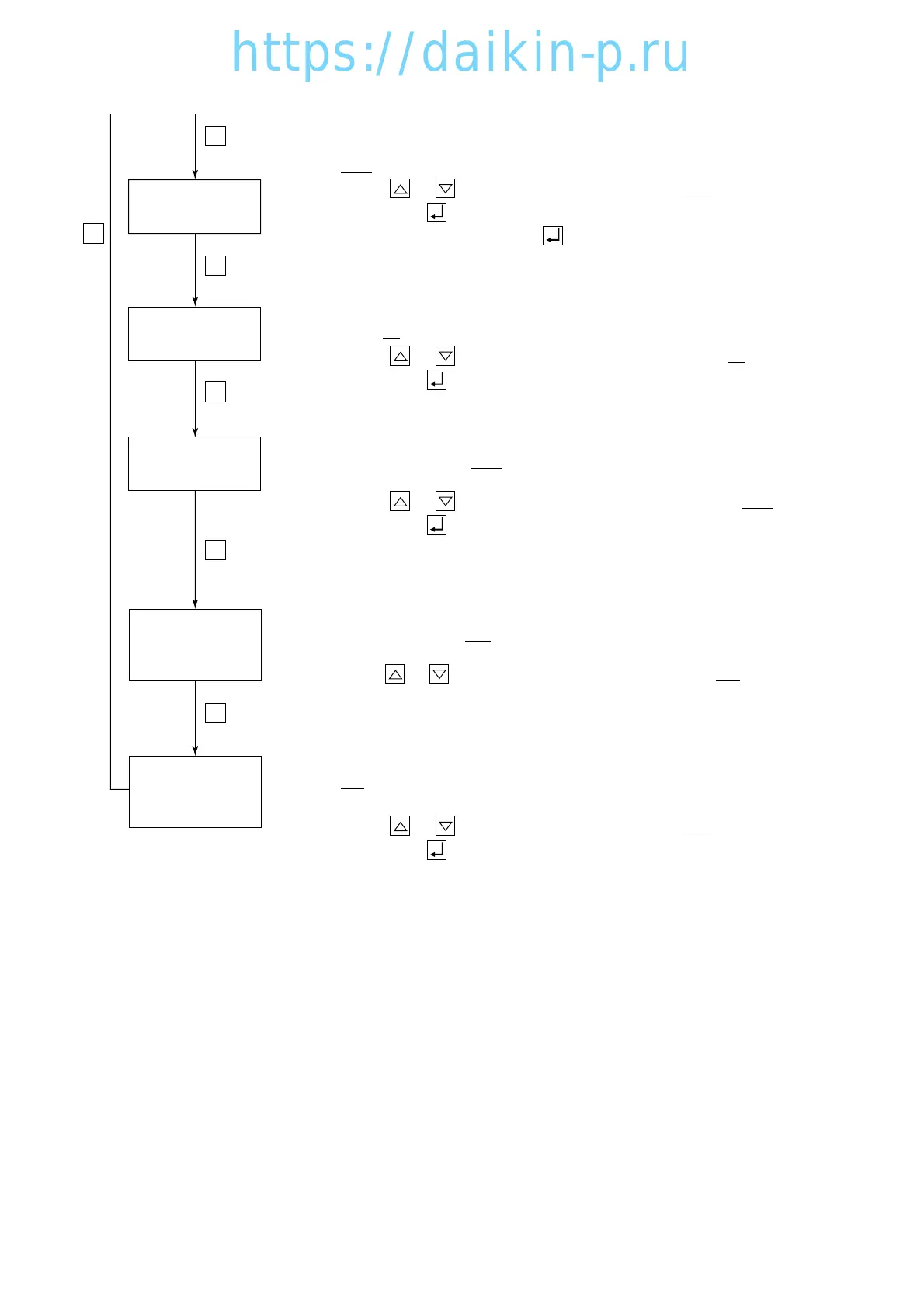
LED DISPLAY
LIGHT-OFF SETTING
INPUT POWER
SETTING
HORSEPOWER
SETTING
S
S
S
S
DEHUMIDIFICATION
COIL ON/OFF
SETTING
COMPRESSOR
UNLOADING
SYSTEM SETTING
S
S
To set the power input:
Select "Sing" or "dUAL" on the LED when the LCD displays "OC-SET" .
Whenever the or key is pressed, the indication of "Sing" or "dUAL" is
changed. Press the key to determine the setting.
For the unit, select "Sing", and press key to determine the setting.
To set the "panel (LED) lighting off" function ON/OFF:
Select "ON" (provided) or "OFF" (not provided) on the LED when the LCD
displays "dISP" .
Whenever the or key is pressed, the indication of "ON" or "OFF" is
changed. Press the key to determine the setting.
Note: When the 0/CHART key is pressed twice when the "panel (LED) lighting
off" function is ON, the lights on the LED panel are turned off.
To set the compressor unloading system:
Select "33 (provided)" or "100 (not provided)" on the LED when the LCD
displays "COMP".
Whenever the or key is pressed, the indication of "33" or "100" is changed.
Note: This "33" setting is applicable for LXE10D type only.
To set the dehumidification coil ON/OFF:
Select "ON (provided)" or "OFF (not provided)" on the LED when the LCD
displays "REHEAT".
Whenever the or key is pressed, the indication of "ON" or "OFF" is
changed. Press the key to determine the setting
To set the horse power setting:
Select "5" or "10" on the LED when the LCD displays "HP" (Horse power).
Whenever the or key is pressed, the indication of "5" or "10" is
changed. Press the key to determine the setting.
03LXE10E-A(15-32)07.2.1910:55AMページ3-28




 To Next Page