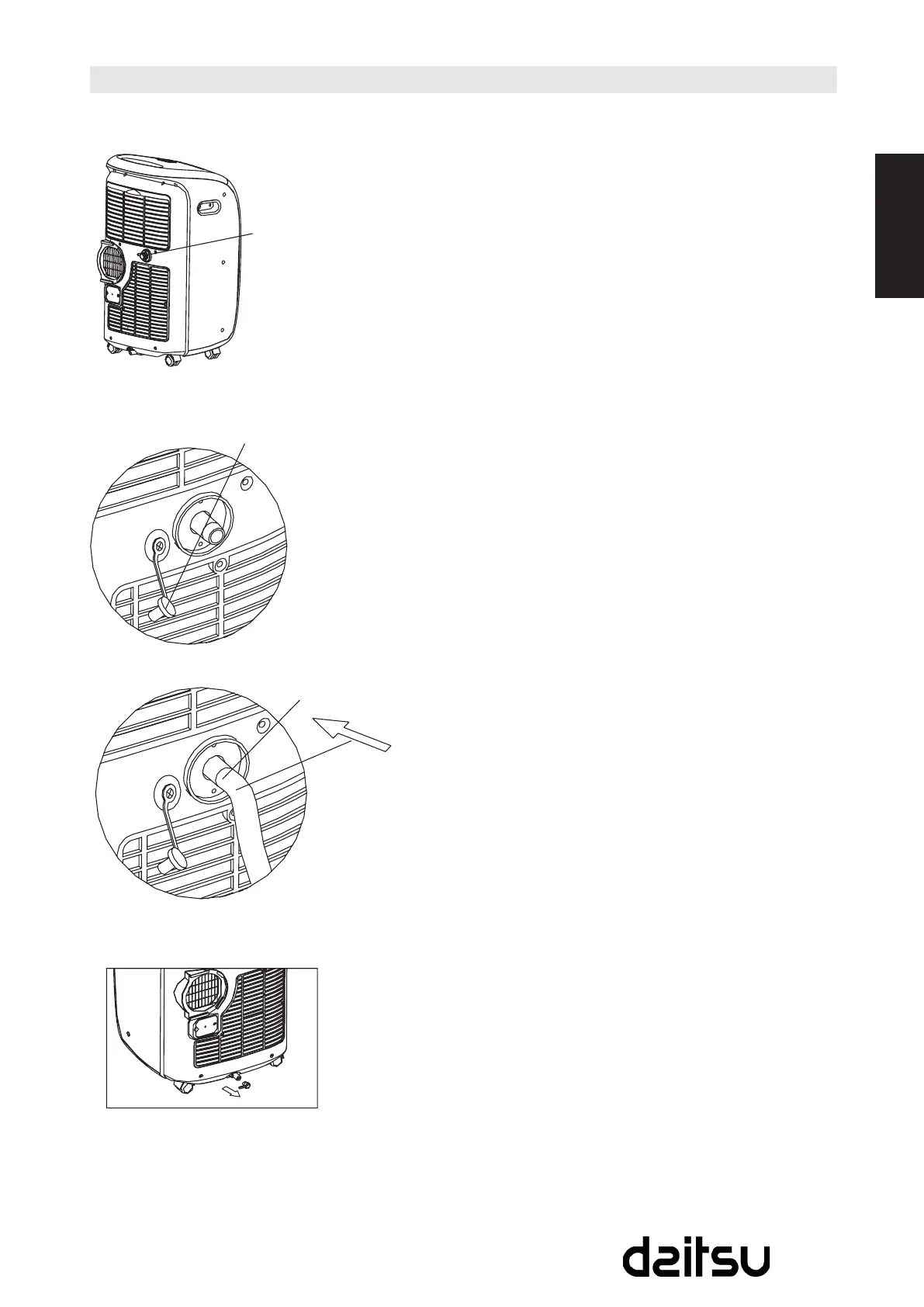
- During dehumidifying modes, remove the drain plug
from the back of the unit, install the drain connector
(5/8 universal female mender) with 3/4 hose (locally
purchased). For the models without drain connector, just
attach the drain hose to the hole. Place the open end of
the hose directly over the drain area in your basement
oor.PleaserefertoFig.21-23.Makesuretheconnection
of the drain hose and the hole of the unit is tight and do
not let the water leak.
- When the water level of the bottom tray reaches a
predetermined level, the unit beeps 8 times, the digital
display area shows “P1”. At this time the air conditioning/
dehumidicationprocesswillimmediatelystop.However,
the fan motor will continue to operate (this is normal).
Carefully move the unit to a drain location, remove the
bottom drain plug and let the water drain away (Fig.24).
Restart the machine until the “P1” symbol disappears. If
the error repeats, call for service.
NOTE:
Be sure to reinstall the bottom drain plug before using the
unit.
Water drainage
Fig. 21
Fig. 22
Fig. 23
Fig. 24
Remove the drain plug
The drain plug
Continuous drain hose



 To Next Page