TROUBLESHOOTING TIPS
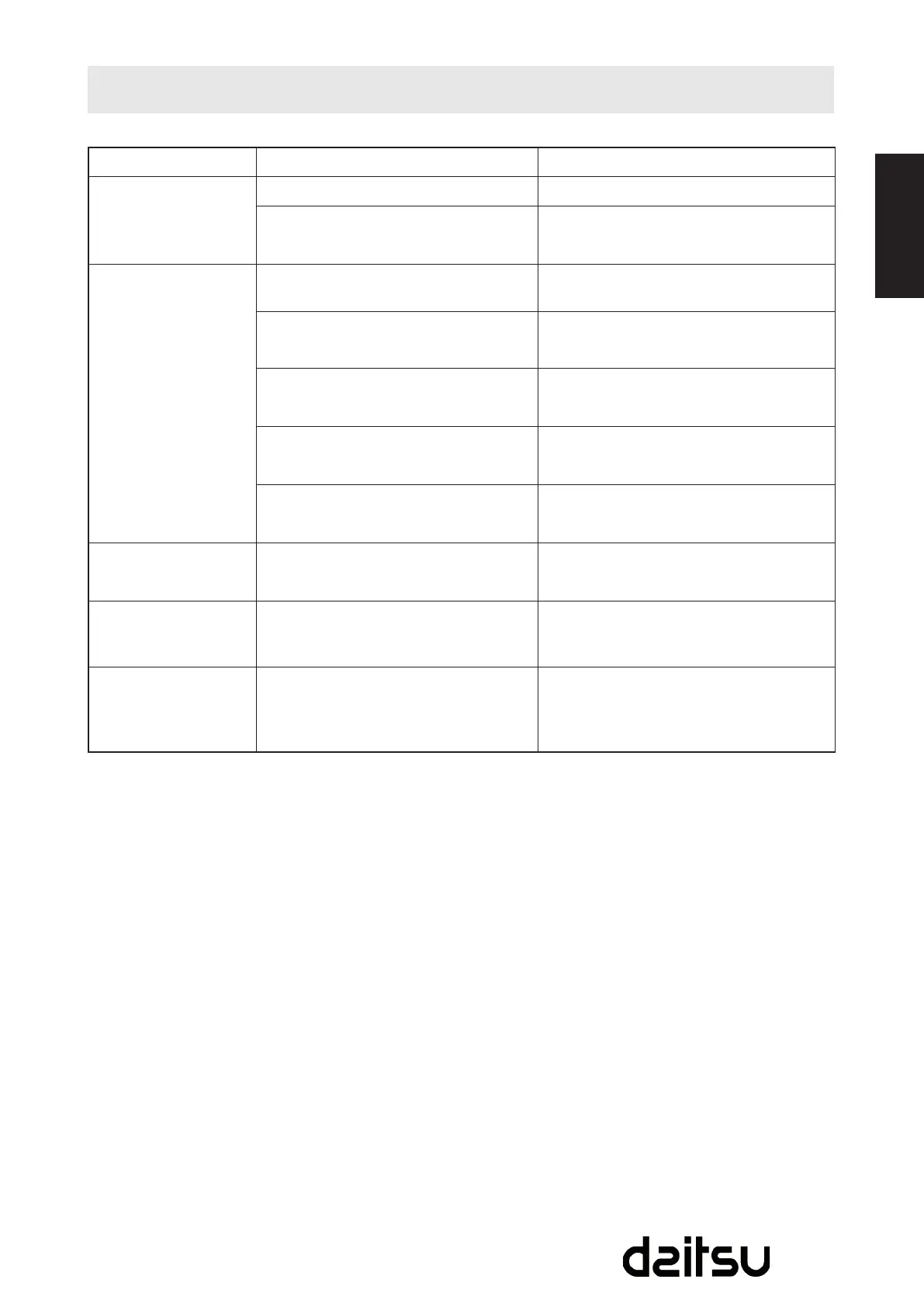
TROUBLES POSSIBLE CAUSES SUGGEST REMEDIES
1. Unit does not Start
when Pressing
on/off Button
- P1 appears in the display window Drain the water in the bottom tray.
- Room temperature is lower than the
set temperature. (Cooling mode)
Reset the temperature.
2.Notcoolenough
- The windows or doors in the room
are not closed.
Make sure all the windows and doors
are closed.
- There are heat sources inside the
room.
Remove the heat sources if possible.
-Exhaustairductisnotconnectedor
blocked
Connect the duct and make sure it can
function properly.
- Temperature setting is too high. Decrease the set temperature.
-Airlterisblockedbydust. Cleantheairlter.
4.Noisyorvibration
-Thegroundisnotlevelornotat
enough.
Placetheunitonaat,level
ground if possible.
5. Gurgling sound
-Thesoundcomesfromtheowing
of the refrigerant inside the air
conditioner.
It is normal.
6. Power shut off at
Heating mode
- The automatic over heat protection
function. When the temperature at
theairoutletexceed70ºC/158ºF,the
device will stop.
Switch on again after the unit has cool
down.



 To Next Page