How to use the buttons
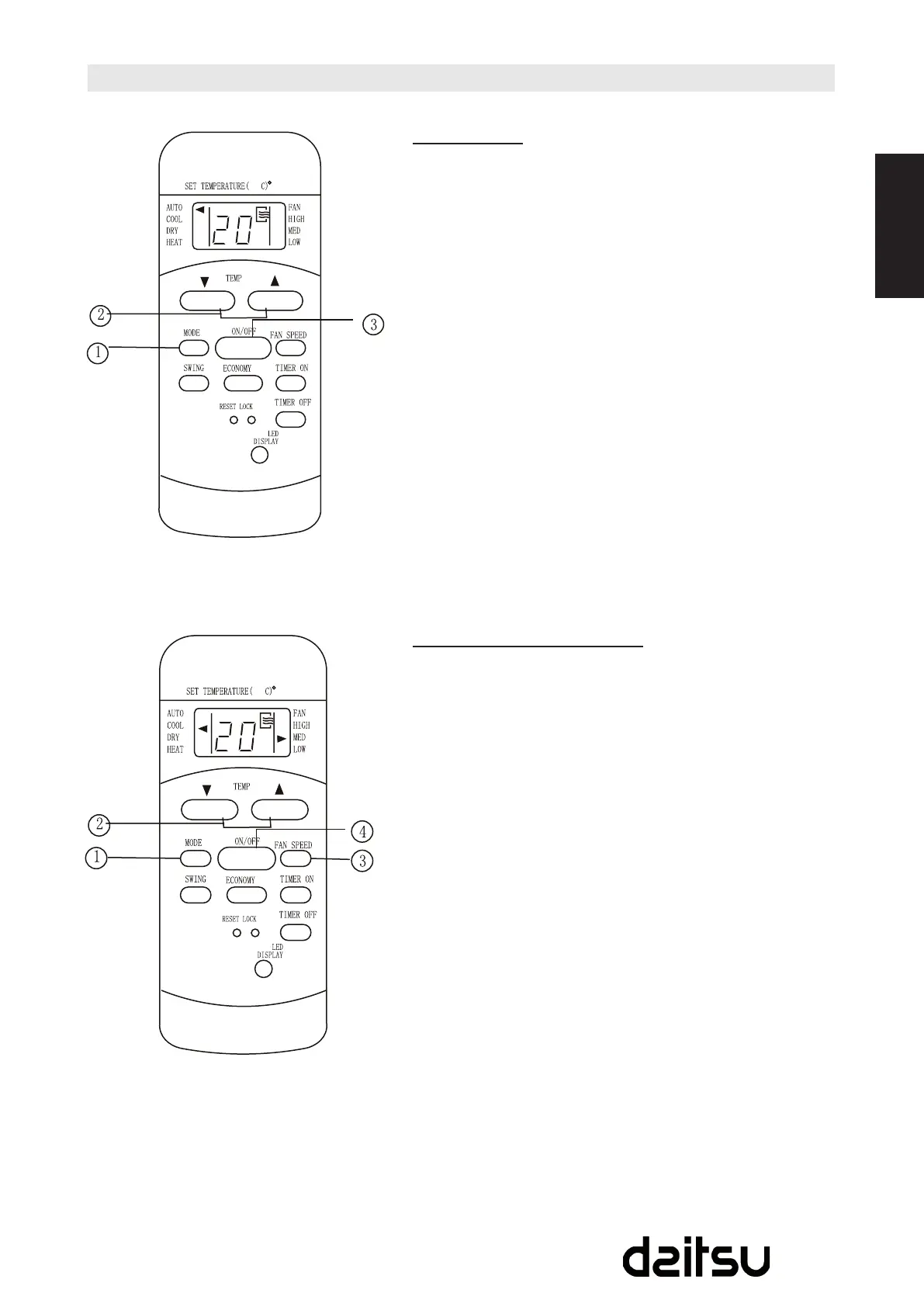
Auto operation
Ensuretheunitispluggedinandpowerisavailable.The
OPERATIONindicatoronthedisplaypaneloftheindoorunit
illuminates.
1. PresstheMODEbuttontoselectAuto.
2. PresstheTEMPbuttontosetthedesiredtemperature.
Thetemperaturecanbesetwithinarangeof17ºC(62ºF)
~30ºCin1ºC(2ºF)increments.
3. PresstheON/OFFbuttontostarttheairconditioner.
NOTE
1. IntheAutomode,theairconditionercanlogicallychoose
themodeofCooling,FanHeatingandDehumidifying
bysensingthedifferencebetweentheactualambient
room temperature and the set temperature on the remote
controller.
2. IntheAutomode,youcannotswitchthefanspeed.
It has already been automatically controlled.
3. IftheAutomodeisnotcomfortableforyou,thedesired
mode can be selected manually.
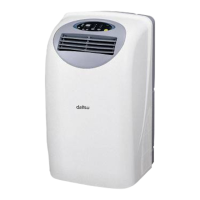
Cooling /Heating/Fan operation
Ensuretheunitispluggedinandpowerisavailable.
1. PresstheMODEbuttontoselectCOOL,HEAT,(cooling&
heatingmodelsonly)orFANmode.
2. PresstheTEMPbuttontosetthedesiredtemperature.
Thetemperaturecanbesetwithinarangeof17ºC(62ºF)
~3ºCin1ºC(2ºF)increments.
3. PresstheFANSPEEDbuttontoselectthefanspeedin
foursteps-Auto,Low,Med,orHigh.
4. PresstheON/OFFbuttontostarttheairconditioner.
NOTE
IntheFANmode,thesettingtemperatureisnotdisplayedin
the remote controller and you are not able to control the room
temperatureeither.Inthiscase,onlystep1,3and4maybe
performed.



 To Next Page