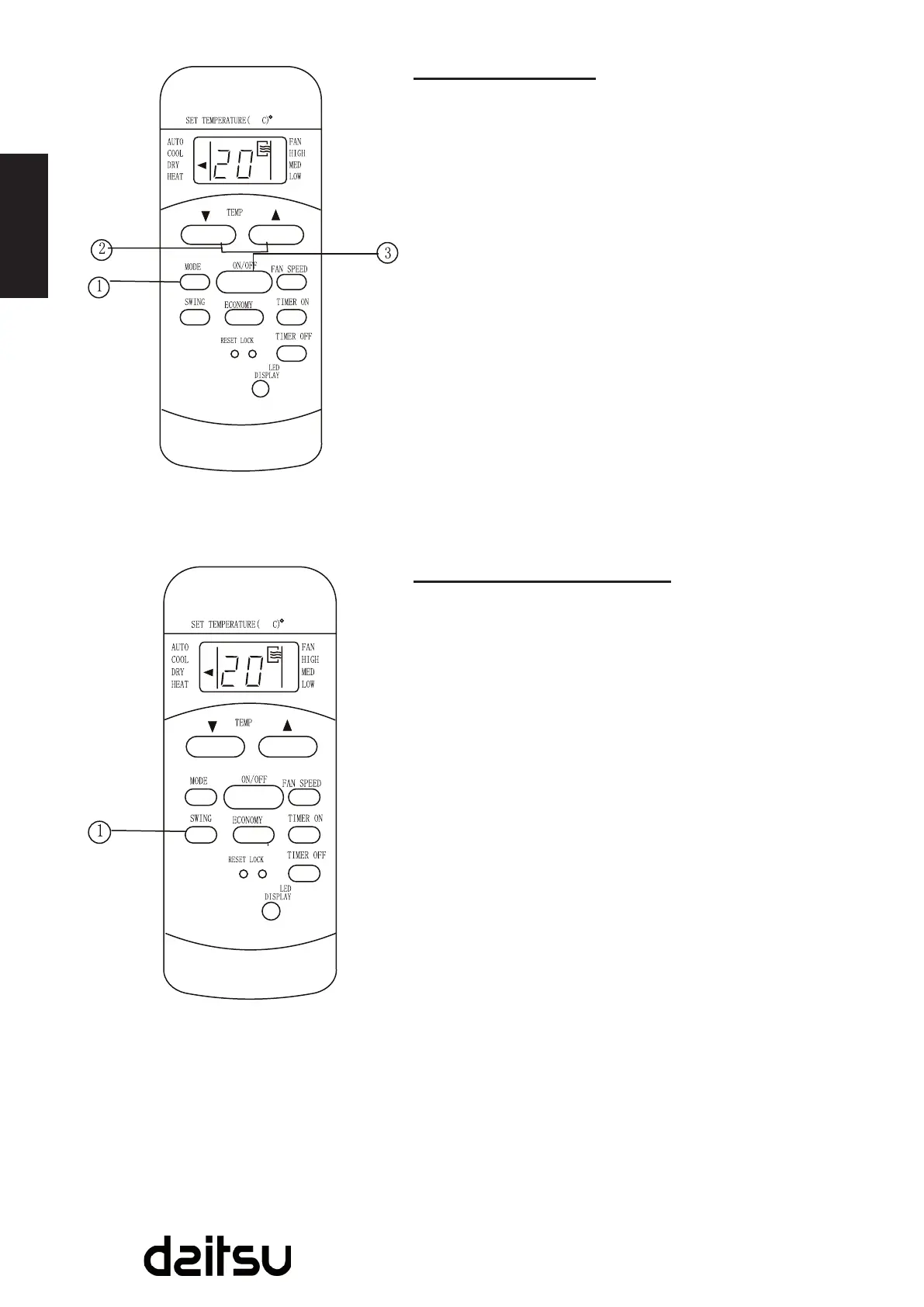
Dehumidifying operation
Ensuretheunitispluggedinandpowerisavailable.The
OPERATIONindicatoronthedisplaypaneloftheindoorunit
illuminates.
1. PresstheMODEbuttontoselectDRYmode.
2. PresstheTEMPbuttontosetthedesiredtemperature.
Thetemperaturecanbesetwithinarangeof17ºC(62ºF)
~3ºCin1ºC(2ºF)increments.
3. PresstheON/OFFbuttontostarttheairconditioner.
NOTE
IntheDehumidifyingmode,youcannotswitchthefan
speed. It has already been automatically controlled.
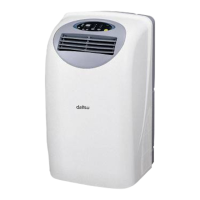
Swing operation (on some models)
UsetheSWINGbuttontoadjusttheUp/Downairow
direction.
1. Whenpressthebuttononceandquickly,theairow
direction setting feature of the louver is activated. The
movingangleofthelouveris6°foreachpress.Keep
pressing the button to move the louver to the desired
position.
2. IfkeeppressingtheSWINGbuttonwithoutreleasingfor
2moreseconds,theautoswingfeatureofthelouveris
activated.Thehorizontallouverwouldswingup/down
automatically. Press it again to stop.
NOTE
Whenthelouverswingormovetoapositionwhichwould
affectthecoolingandheatingeffectoftheairconditioner,it
wouldautomaticallychangetheswing/movingdirection.



 To Next Page