Timer operation
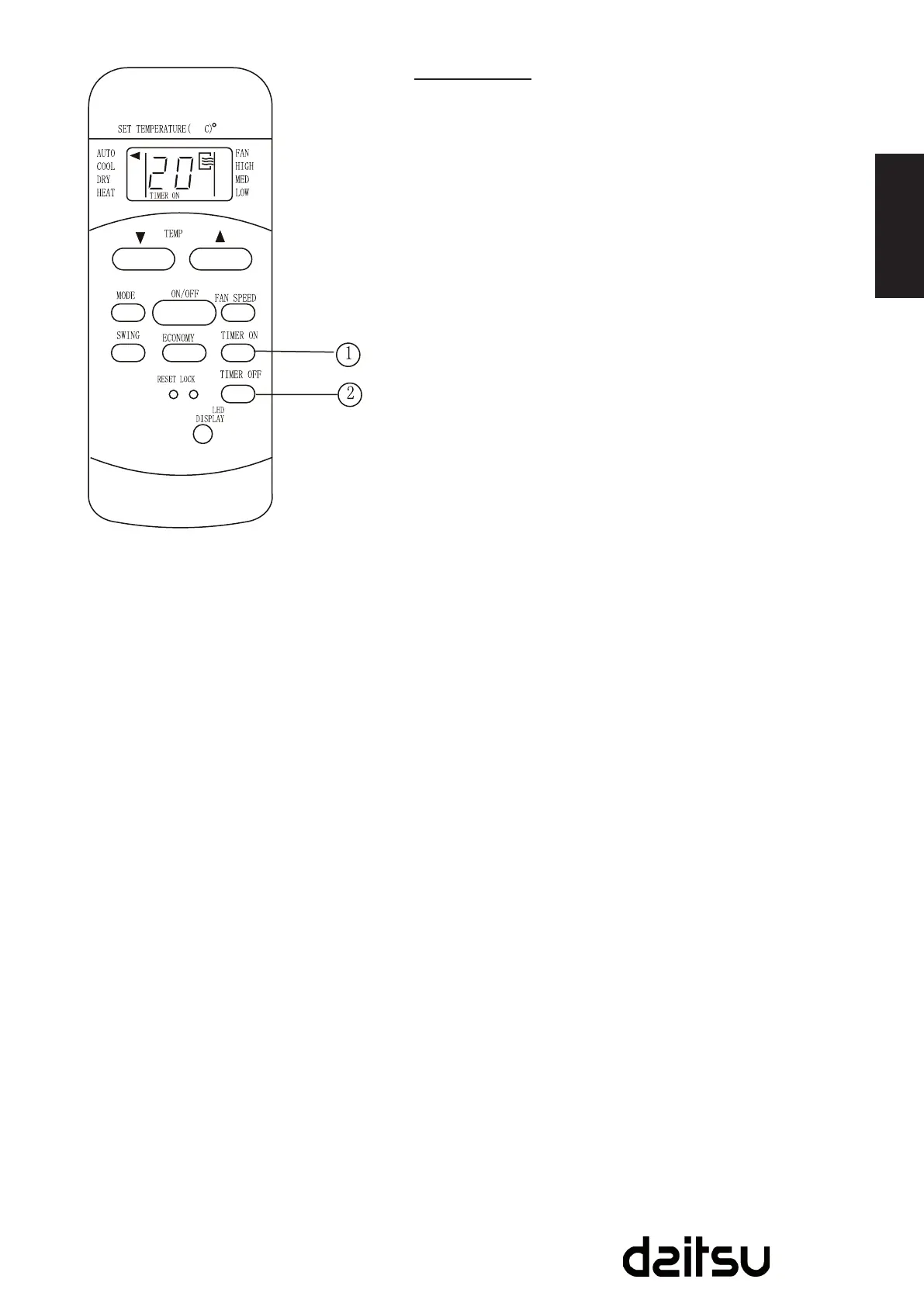
PresstheTIMERONbuttoncansettheauto-ontimeofthe
unit.AndpresstheTIMEROFFbuttoncansettheauto-off
time of the unit.
To set the Auto-on time.
1. PresstheTIMERONbutton.Theremotecontrollershows
TIMERON,thelastAuto-onsettingtimeandthesignal
“h”willbeshownontheLCDdisplayarea.Nowitisready
toresettheAuto-ontimetoSTARTtheoperation.
2. PushtheTIMERONbuttonagaintosetdesiredAuto-on
time.Eachtimeyoupressthebutton,thetimeincreases
in30minutesincrements,upto10hours,thenat1hour
incrementsupto24hours.
3. AftersettingtheTIMERON,therewillbeaone-half
second delay before the remote controller transmits the
signaltotheairconditioner.Then,afterapproximately
another2seconds,thesignal“h”willdisappearand
thesettemperaturewillre-appearontheLCDdisplay
window.
To set the Auto-off time.
1. PresstheTIMEROFFbutton.Theremotecontroller
showsTIMEROFF,thelastAuto-offsettingtimeandthe
signal“h”willbeshownontheLCDdisplayarea.Nowitis
readytoresettheAuto-offtimetoSTARTtheoperation.
2. PushtheTIMEROFFbuttonagaintosetdesiredAuto-off
time.Eachtimeyoupressthebutton,thetimeincreases
in30minutesincrements,upto10hours,thenat1hour
incrementsupto24hours.
3. AftersettingtheTIMEROFF,therewillbeaone-half
second delay before the remote controller transmits the
signaltotheairconditioner.Then,afterapproximately
another2seconds,thesignal“h”willdisappearand
thesettemperaturewillre-appearontheLCDdisplay
window.



 To Next Page